Malaysia Visa Guide
EMGS Student Pass Photo Requirements
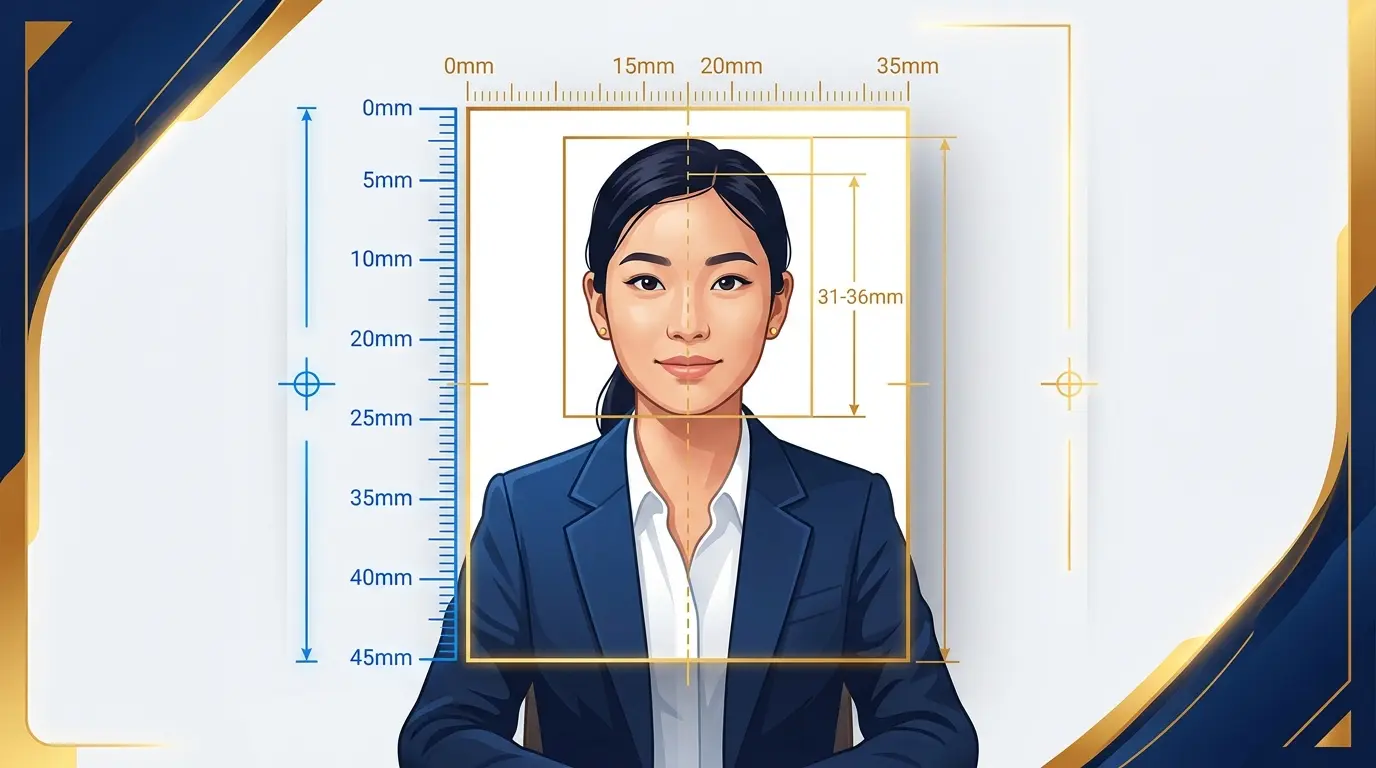
The Education Malaysia Global Services (EMGS) portal has distinct photo guidelines. A white background is strictly enforced, and specific digital limits apply.
Last updated: July 16, 2026
At a glance
- A strict white background is required.
- The physical size is stated differently across EMGS pages (Required Documents: 35×45mm; Passport Photo Guidelines: 50mm high × 35mm wide).
- The Online Photo Checker specifies JPG, up to 217×280 px, a 25 KB maximum, and a white background.
- No glasses, a neutral expression, and a recent photo are required; the official guidance does not specify a number of months.
- Use the EMGS Online Photo Checker if available.
Understanding the EMGS Photo Rules
For international students applying for a Student Pass, EMGS acts as the processing hub. The photo you submit is critical, as it may be used for your visa approval letter and your physical iKad.
EMGS's official pages do not use one physical-size notation, and both values are quoted side by side on this page. Do not flatten that difference into one value; check the current instructions for your submission. For upload validation, follow the Online Photo Checker specifications summarized above.
Digital Limits vs. Physical Prints
Because the physical-size references differ, do not use the print dimensions alone as the upload criterion — the Online Photo Checker's digital limits are what your file is validated against.
Quality and Presentation
Ensure your head and shoulders are centered. You must have a neutral expression, and wearing glasses is generally prohibited to avoid glare. Ensure your hair does not cover your eyes or face.
Create your photo in the browser
Prepare the photo for Malaysia EMGS (Student Pass) directly in your smartphone or computer browser. Creating and reviewing are free.
Open the web toolWhat this tool creates
- the required face photo (for digital upload)
How to use source information
Official requirements can be found across various departmental sites (IMI, EMGS, ESD). Always prioritize the instructions shown on your specific portal's upload screen, as digital system requirements change frequently.
shoumei.org is an independent digital preparation tool. It is not a government service, and using it does not guarantee your application will be accepted.
Mistakes to avoid
Most photo and document upload failures in Malaysian portals are caused by easily fixable technical issues.
-
Mixing up application routes
Using a blue background photo for the eVISA portal, which requests a white background.
-
File size limits
Failing to check the portal's KB limits, resulting in a 'File too large' error or upload failure.
-
Unreadable PDFs
Compressing supporting documents so much that they become illegible.
-
Confusing passport pages
Uploading a full passport PDF when only the single Passport Bio Page image is requested.
How the app helps
Route-specific presets
Choose between eVISA, EMGS, or ESD to prepare images with a white or blue background.
PDF generation
Convert images into combined PDF files for supporting documents.
Local processing
All image cropping and PDF generation happens securely on your device.
Always verify your final generated files against the current upload instructions shown on the official portal.
FAQ
Can I use a blue background for EMGS?
No. The EMGS official guidelines explicitly require a white background.
Why did my photo upload fail on the EMGS system?
Common reasons include exceeding the checker's file size limit, shadows on the white background, or incorrect pixel proportions.