US VISA PHOTO GUIDE
US visa photo guides
Start from the guide that matches your problem: size, DS-160 JPEG upload, white background, printing, upload errors, glasses, or a child photo.
✓ Checked against official sources Last checked: August 20, 2026
Short official requirement summary
A short summary of the photo requirements published by the U.S. Department of State. Check the latest official page and your embassy or consulate instructions before submission.
- Color photo taken within the last 6 months.
- Plain white or off-white background, facing the camera, natural expression, both eyes open.
- Digital image must be square JPEG, 600 x 600 px to 1200 x 1200 px, and 240KB or less.
- Printed photo must be 2 x 2 inch, with head height about 1 inch to 1 3/8 inch.
- Glasses and hats are generally not allowed; exceptions must follow official guidance.
Create your photo in the browser
Prepare the photo for U.S. Visa (DS-160) directly in your smartphone or computer browser. Creating and reviewing are free.
Open the web toolChoose a guide
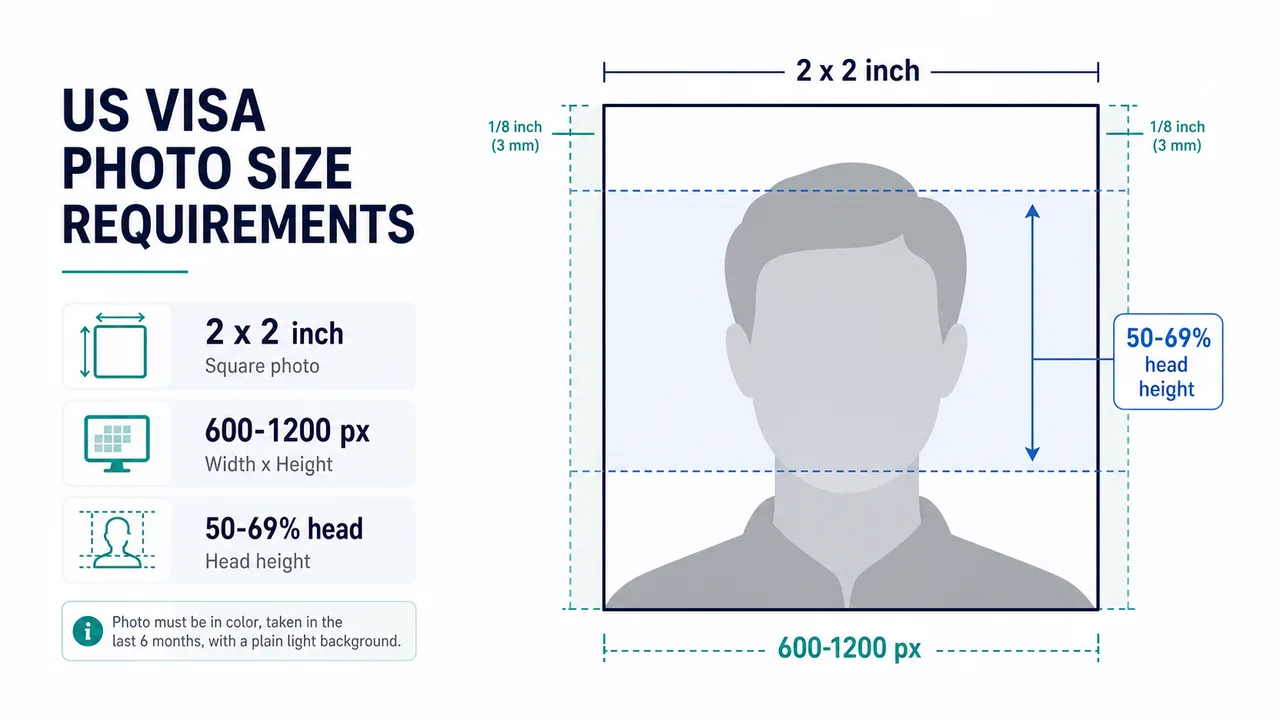 US visa photo size 2 x 2 inch print size, 600 x 600 to 1200 x 1200 px digital images, head ratio, margins, and size mistakes to avoid.
 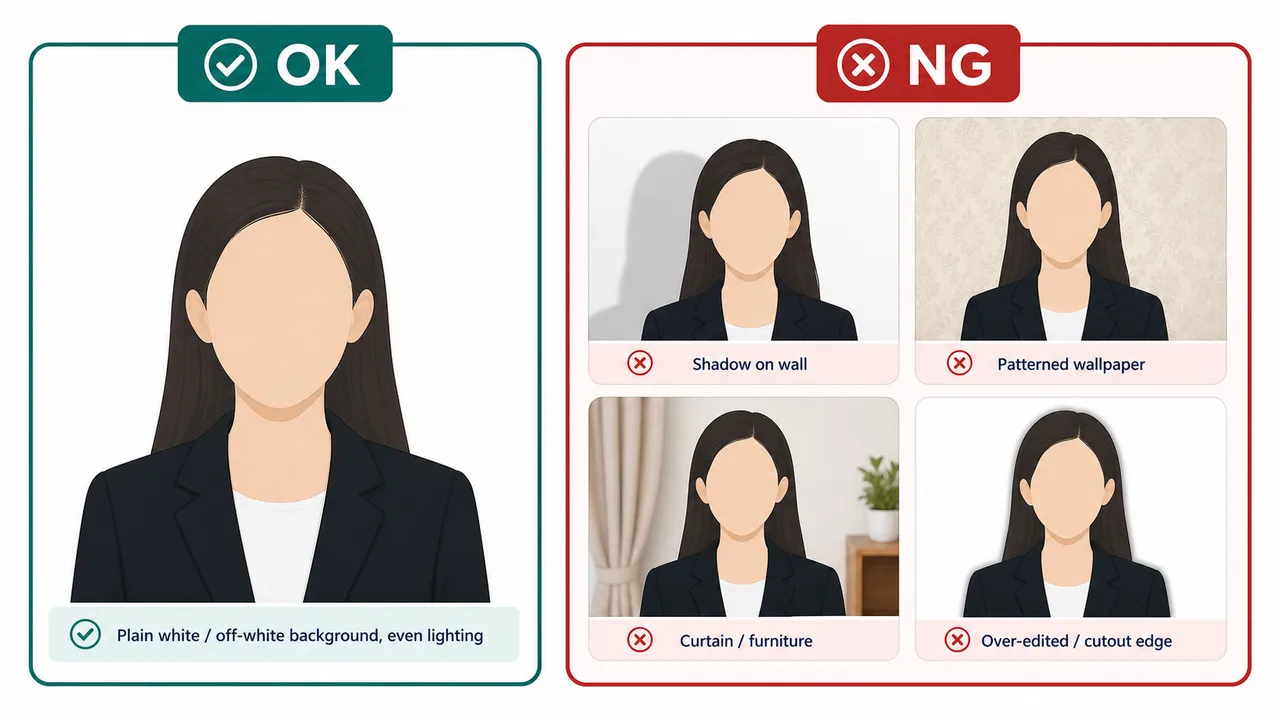 US visa photo background How to prepare a plain white or off-white background and avoid shadows, patterns, furniture, curtains, and over-editing.
 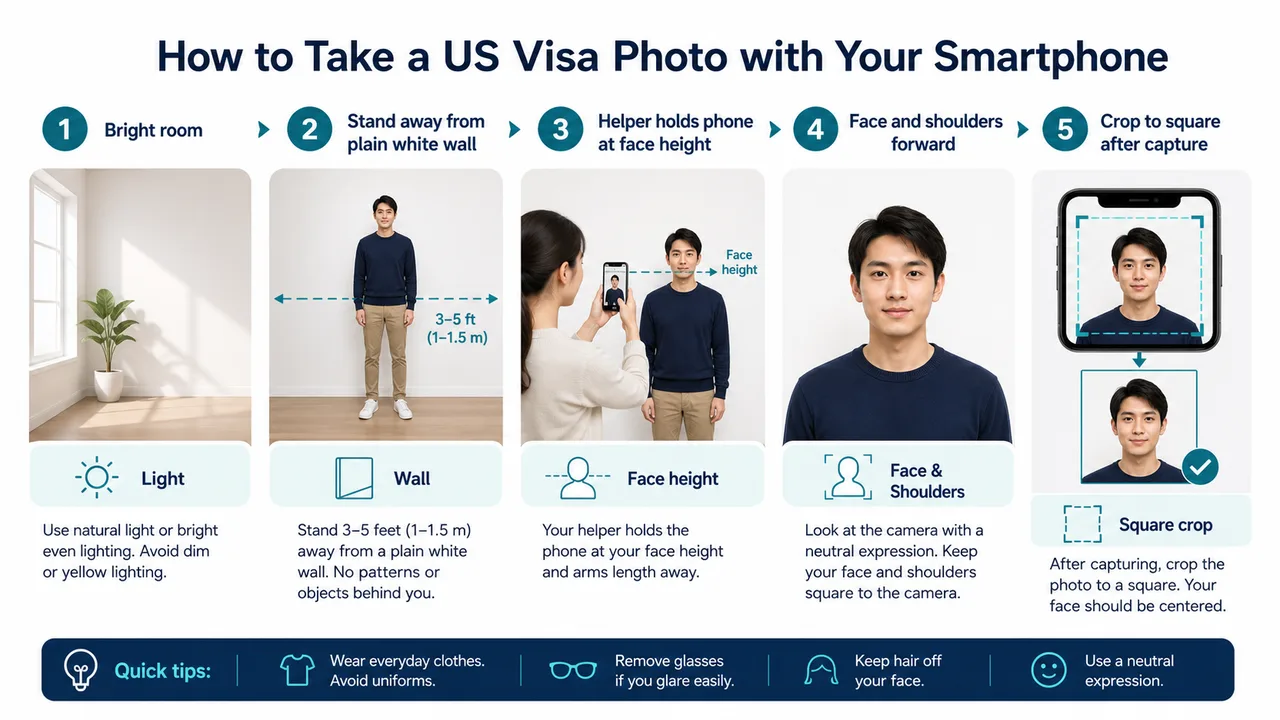 Take a US visa photo with a smartphone A practical smartphone workflow for lighting, camera height, distance from the wall, square crop, and avoiding selfie distortion.
 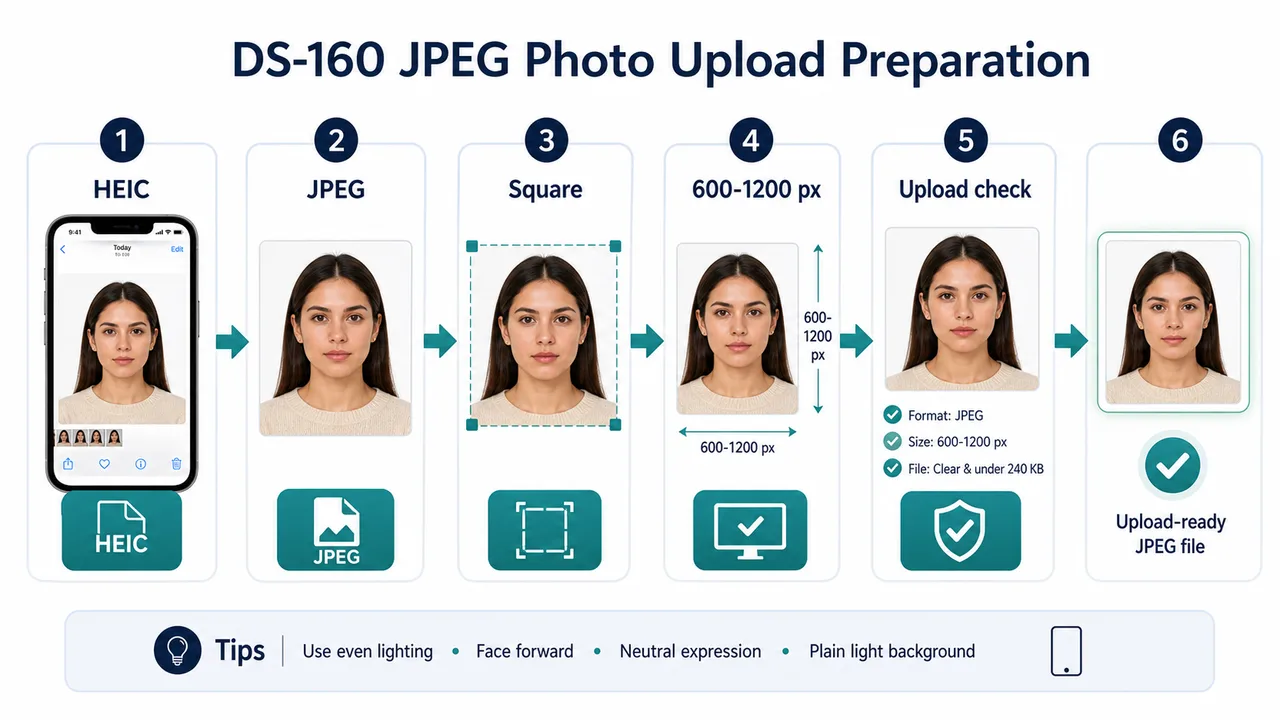 DS-160 JPEG upload photo JPEG format, square pixels, HEIC conversion, file checks, compression, and what to confirm before uploading a photo to DS-160.
 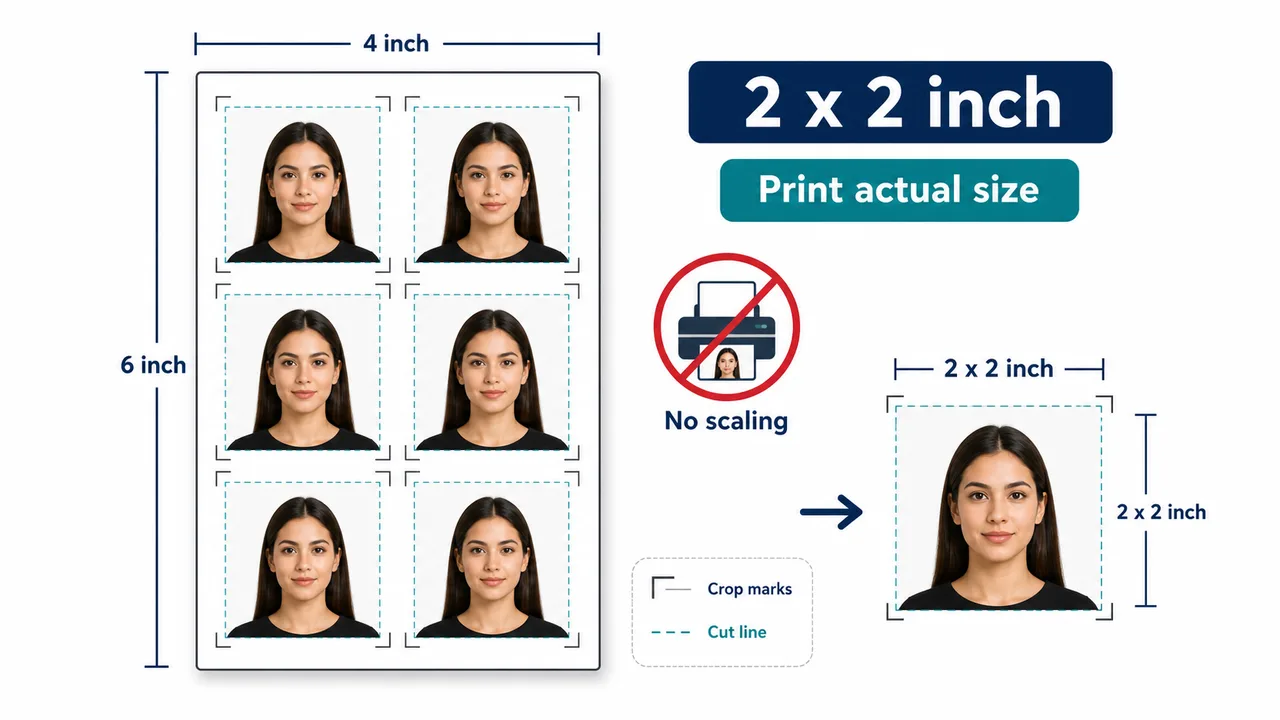 Print a 2 x 2 inch US visa photo How to prepare printed US visa photos, avoid scaling, cut 2 x 2 inch photos, and separate official rules from print-shop tips.
 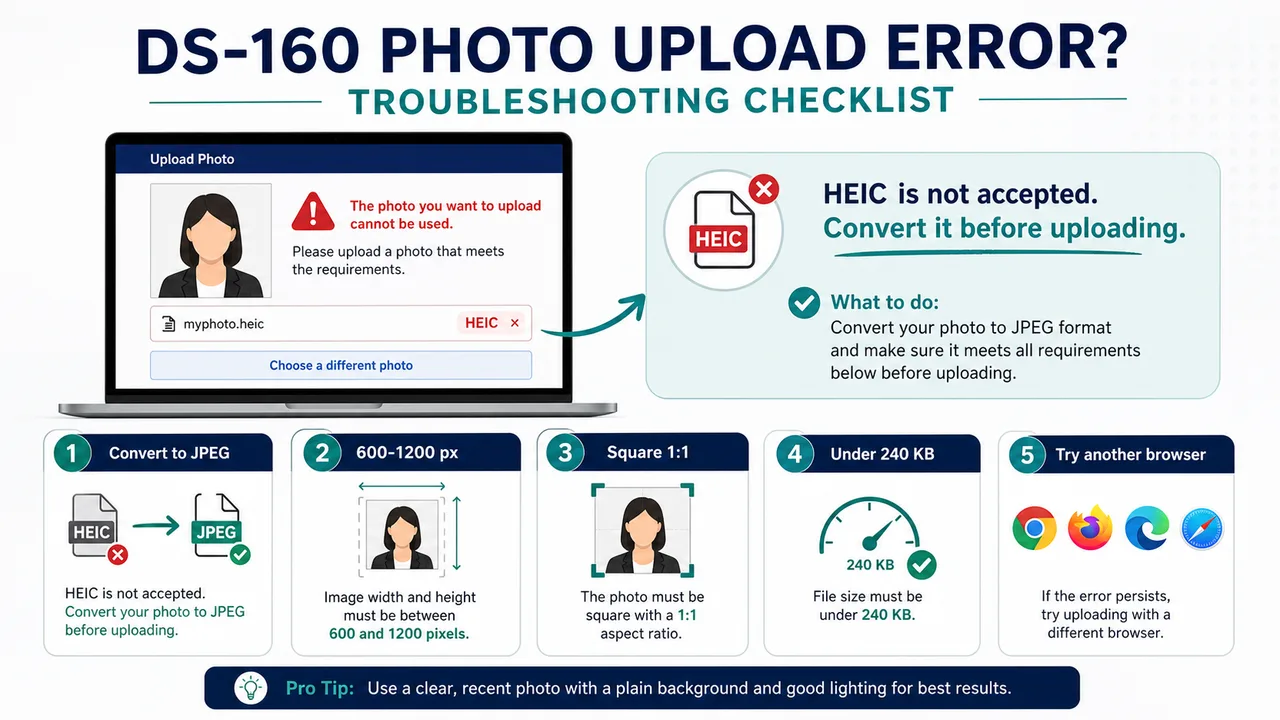 US visa photo upload error fixes Troubleshoot DS-160 photo upload errors caused by HEIC, non-JPEG files, wrong pixels, non-square crops, file size, or browser issues.
 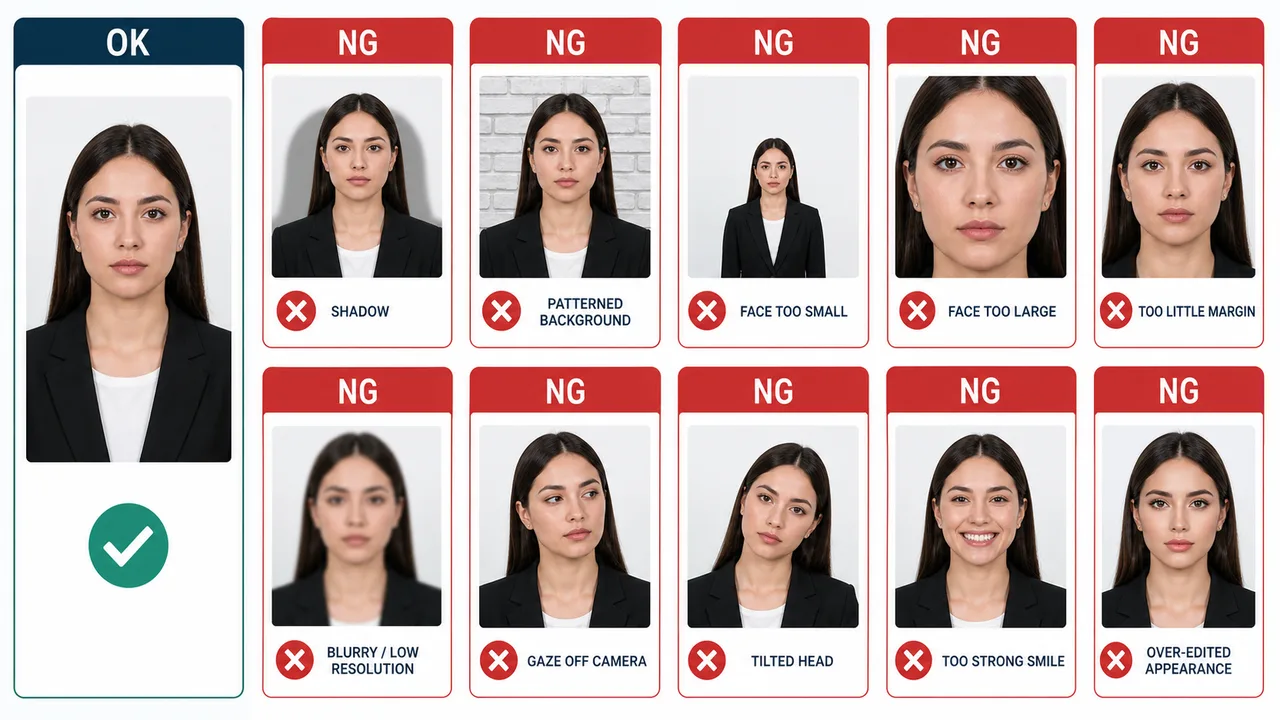 US visa photo mistakes Examples of photo conditions that can cause problems: shadows, patterned backgrounds, wrong face size, blur, low resolution, tilted head, strong smile, and over-editing.
 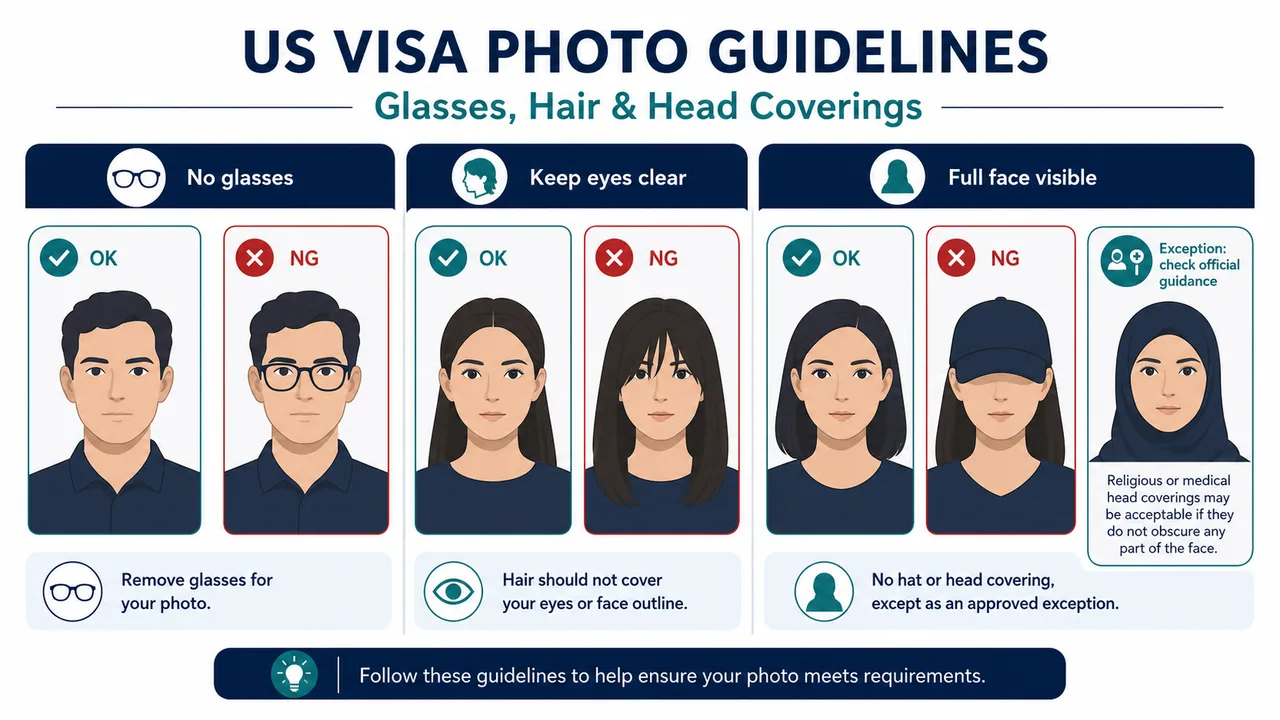 Glasses, hair, and hats in US visa photos What to know about removing glasses, keeping eyes and face outline visible, hair, hats, religious head coverings, and glare.
 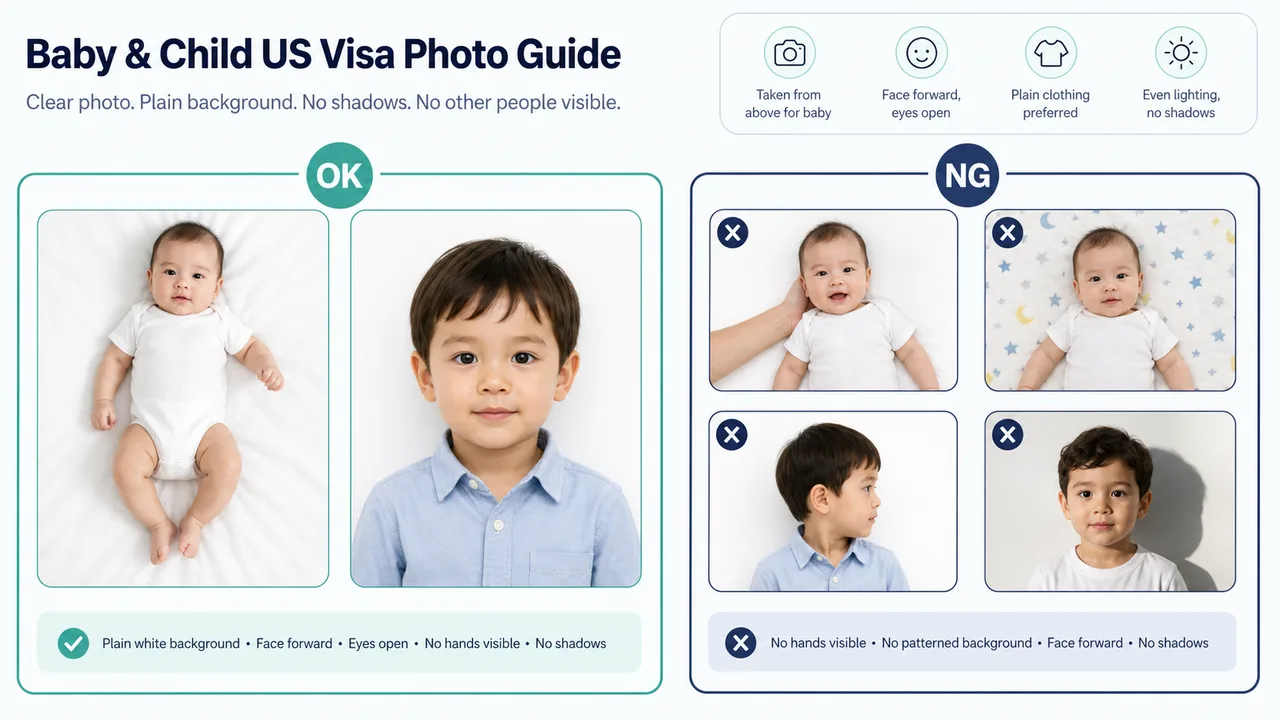 Baby and child US visa photos Parent-friendly guidance for child and baby visa photos: face direction, eyes, plain background, no hands, and repeatable home shooting.
 Official sources
- U.S. Department of State - U.S. Visa Photos Checked: October 7, 2026
- U.S. Department of State - Digital Image Requirements Checked: August 20, 2026
- U.S. Department of State - Photo Examples Checked: June 29, 2026
- U.S. Department of State - Photo Composition Template Checked: June 29, 2026
- U.S. Department of State - Photo Frequently Asked Questions Checked: June 29, 2026
- U.S. Department of State - DS-160 Frequently Asked Questions Checked: June 29, 2026
Main FAQ
Is 600 x 600 px always enough?
For general visa digital uploads, the official range is 600 x 600 px to 1200 x 1200 px. Some programs such as DV have their own exact rules, so check the route you use.
Can the app guarantee acceptance?
No, the app is an independent formatting helper and cannot guarantee acceptance. Final acceptance is decided solely by the official system or reviewing authority.
Should I upload HEIC from iPhone?
No. Prepare a JPEG file and confirm that the actual file format, not only the extension, is JPEG.
Create a US visa photo on iPhone
Use the app when you want a square JPEG for DS-160 or a 2 x 2 inch print layout while checking face position and background.
Open the app page