Korea travel photo preparation
K-ETA photo vs Korea visa photo
The fastest way to make a wrong photo is to assume every Korea travel photo uses the same size.
Checked: 2026-07-08
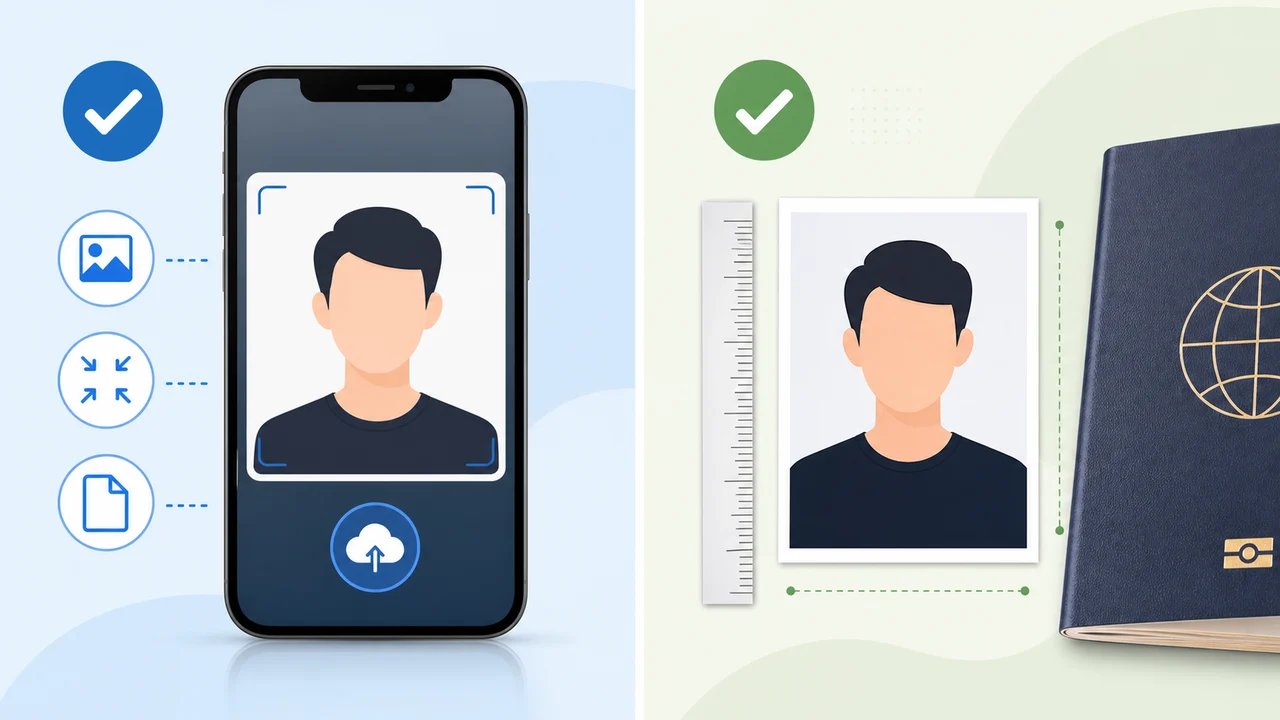
The photo conditions to check first
- K-ETA is a digital authorization flow for eligible visa-free travelers.
- Korea visa applications can use e-Form uploads and mission document submission.
- K-ETA uses a square, small JPG strategy; Korea visa photos use a vertical 35 x 45 mm document photo strategy.
Start with your procedure, not the country name
If you are entering Korea visa-free and your nationality requires or benefits from K-ETA, prepare a K-ETA portrait upload file. If you are applying for a visa category through Korea Visa Portal or a diplomatic mission, prepare the visa photo requested by that route.
The two photos may look similar at a glance because both are identity portraits, but their final format and checks are different.
- K-ETA: square digital JPG under a small upload limit
- Korea visa: vertical 3.5 x 4.5 cm style photo
- Do not upload a print layout when a single face photo is requested
When you are exempt from K-ETA
Some travelers are temporarily exempt from K-ETA in 2026. If your nationality is exempt and you choose not to apply voluntarily, you may not need a K-ETA photo at all.
That exemption does not turn a visa-required trip into a visa-free trip. If your purpose, nationality, or stay length requires a visa, follow the visa route.
Create your photo with the iPhone appOpen the App Store
About official sources
The photo preparation information is based on public K-ETA guidance, Korea immigration notices, Korea visa e-Form document guidance, and Korea Visa Portal references. The content focuses on photo preparation only, not eligibility advice or application submission.
This website and app are independent photo file preparation tools. They are not affiliated with the Korean government, Korea Immigration Service, K-ETA, Korea Visa Portal, or any Korean diplomatic mission, and they do not guarantee photo acceptance, authorization, visa issuance, or entry.
Photo conditions that can cause problems
These failures tend to come from ordinary image problems, not complicated visa rules.
-
Oversized file
A phone photo can be several MB. Resize first, then compress, so the face remains sharp under the limit.
-
Wrong photo type
Do not upload a print sheet, a passport scan, or a photo of a printed photo when the portal expects a portrait file.
-
Weak identity visibility
Shadows, glare, heavy filters, hair over the eyes, or a tilted face can make identity confirmation harder.
Where the app helps
K-ETA crop
Exports a 600 x 600 px JPG for K-ETA-style upload limits.
On-device privacy
Photo processing happens on the iPhone; the app does not upload your image to a server.
Separate Korea visa route
Use the 35 x 45 mm Korea visa mode when your application needs a visa photograph rather than a K-ETA portrait upload.
The app prepares the photo file only. Submit your application through the official route and confirm the latest requirement before using the file.
FAQ
Is K-ETA a visa?
No. K-ETA official guidance states that K-ETA is not a visa and does not guarantee entry.
Can I use one photo for both?
You can start from one clean original photo, but export separate final files: a square K-ETA JPG and a vertical 35 x 45 mm Korea visa photo.
Which page should I check first?
Check K-ETA for travel authorization and Korea Visa Portal or your Korean mission for visa applications.
Official sources
- K-ETA official application guide Checked: 2026-07-08
- Embassy of the Republic of Korea - e-Form visa photo document guidance Checked: 2026-07-08
- Korea Visa Portal Checked: 2026-07-08