Vietnam e-Visa file preparation
Vietnam e-Visa upload errors: "File has script tag" and other fixes
If the portal shows “File has script tag, please try again”, start here: in our testing this message did not mean the image actually contained a script, and a fresh JPEG re-export resolved it in one tested case. The same page also covers the other common upload errors — square photos, blurred passport pages, and glare hiding the MRZ.
Checked: 2026-08-14
-
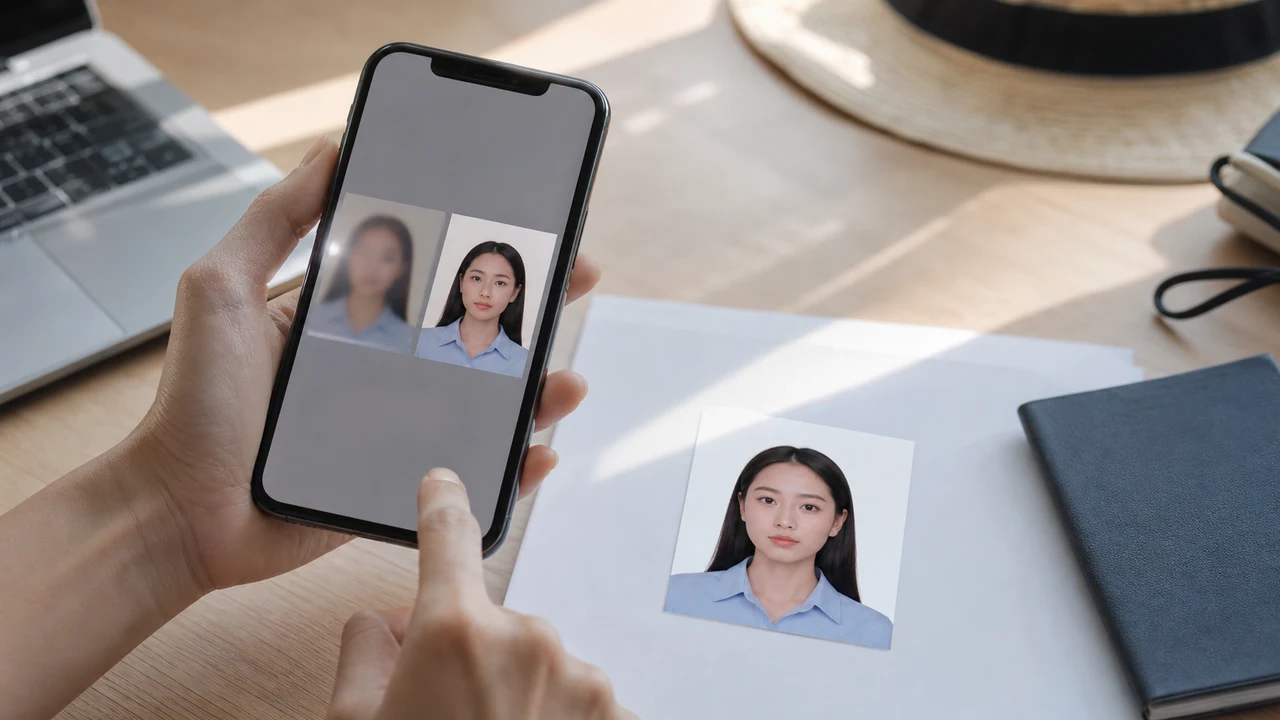
Error: the face photo is the wrong shape
If the file came from a US or India visa photo workflow, it may be square.
- Re-export from the Vietnam e-Visa project so the result is a 2:3 portrait JPEG.
-
Error: the passport page is not readable
Compression cannot rescue a bad source image.
- If the passport number, dates, or MRZ are blurred, retake the page under better light before exporting again.
-
Error: the image was damaged by sharing
Some messaging apps resize or recompress images.
- If an uploaded file suddenly looks smaller, blurrier, or rotated, return to the original app export in Photos or Files.
Fast fixes before retrying
- Re-export the face photo as a Vietnam e-Visa JPEG, not a square file.
- Retake the passport page without flash glare.
- Retake photos with glare, heavy shadow, or cropped document edges.
- Use the app export file directly rather than a screenshot.
- Open the file and zoom in before upload.
Related troubleshooting
If one specific warning keeps appearing, the two dedicated guides go deeper on the portal’s observed behavior and the face-comparison path.
Still rejected after the general file checks?
If the file meets the published requirements but the current portal still rejects it, use the problem-specific guide instead of repeating the same compression step. A face-comparison warning is a different path from a general upload validation error.
Create your photo in the browser
Prepare the photo for Vietnam e-Visa directly in your smartphone or computer browser. Creating and reviewing are free.
Open the web toolWhat this tool creates
- the required face photo (for digital upload)
- the passport biographical data page (photo page) (for document upload)
Also available as an iPhone appOpen the App Store
Official-source note
The portrait photo and passport data page image follow the Vietnam National Electronic Visa system instructions. The app prepares files; the visa application itself is submitted on the official evisa.gov.vn portal.
Why use shoumei.org for Vietnam e-Visa files
Exact 4 × 6 cm / 2:3 export
The app outputs an 1200 × 1800 px JPEG that matches the Vietnam e-Visa portrait ratio, so you avoid the square-crop problem from the start.
Under 2 MB with readable detail
It compresses the JPEG below the official file-size ceiling while keeping facial detail and passport text as readable as the source image allows.
Background and face alignment guides
Built-in guides help you center the face, leave correct margins, and check the white background before export.
On-device privacy
Image processing stays on your device. No photo or passport image is uploaded to a server through shoumei.org.
shoumei.org is an independent file preparation tool. It is not affiliated with the Vietnam government or the evisa.gov.vn portal, and using it does not guarantee that your photo, passport image, or visa application will be accepted or approved.
FAQ
What does “File has script tag, please try again” mean?
It is a portal message observed during image upload. In our testing it did not mean the image actually contained a script, and the portal has not publicly documented the exact cause. In one current-portal test, an approximately 1.7 MB JPEG export failed with this message while a re-exported JPEG of approximately 922 KB was accepted — that is one observed result, not an official size rule. Start again from the original image and re-export as a fresh JPEG, without messaging-app recompression. If repeated exports keep failing, check the current official portal instructions and contact its support. See our dedicated guide: photo meets the requirements but is still rejected.
Should I keep compressing until the upload works?
No. If compression makes the face or passport text unclear, retake or re-export from a better source file instead.
Why does the passport page look fine on the phone but bad after upload?
Small previews hide blur and glare. Always zoom into the exported image and check the MRZ and passport number before upload.
What does “No MRZ detected in the passport image” mean?
The portal validates the passport data page automatically. If the machine-readable zone (MRZ) at the bottom of the page is blurred, cropped, or hidden by glare, the portal may report that no MRZ was detected. Retake the full data page with all four corners visible and the MRZ lines readable before uploading again.
Official sources
- Vietnam e-Visa — Official portal photo upload terms (evisa.gov.vn) Checked: 2026-08-14
- Vietnam e-Visa — Official user manual / application instructions Checked: 2026-08-14
- Vietnam e-Visa — Current portal file-input UI observation Checked: 2026-08-14