Indonesia Visitor Visa file preparation
Common upload errors and fixes
When an upload fails, separate file-size errors from quality errors. A smaller bad image is still a bad image.
Checked: 2026-07-02
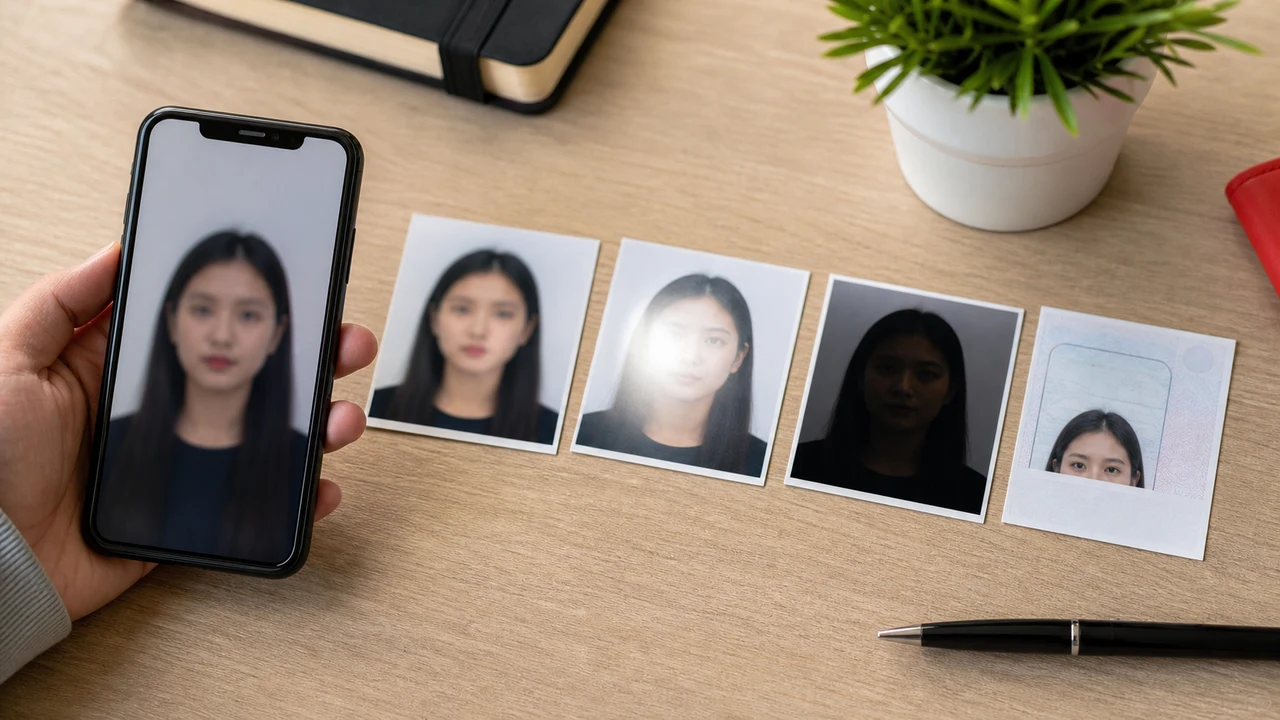
The photo conditions to check first
- Over-limit files need careful resize, not repeated blind compression.
- Blur and glare usually require a retake.
- Wrong crop can cut hair, chin, or passport MRZ.
- Old or edited photos create avoidable risk.
-
File-size errors
If the portal rejects a file because it is too large, export a new JPEG from the original image. Do not keep resaving a compressed copy because each round can add artifacts.
-
Photo quality errors
- Blurry face: retake with more light and a steady phone.
- Face too close or too far: recrop to a natural 4 x 6 cm portrait composition.
- Background shadows: move away from the wall and use softer front light.
- Glasses glare or hair over eyes: retake before editing.
-
Passport-page errors
A passport page can look fine at thumbnail size but fail when the MRZ is unreadable. Zoom in before upload. If the laminate reflects light, rotate the passport slightly or move the light source, then shoot again.
Create your photo in the browser
Prepare the photo for Indonesia eVisa directly in your smartphone or computer browser. Creating and reviewing are free.
Open the web toolWhat this tool creates
- the required face photo (for digital upload)
- the passport biographical data page (photo page) (for document upload)
Also available as an iPhone appOpen the App Store
About Shoumei
Shoumei is an independent file-preparation tool. It is not an Indonesian government, Directorate General of Immigration, embassy, or consulate service.
Always confirm the latest conditions on the official Indonesia eVisa portal.
Why Use the Indonesia Visa Photo App?
Fit the portal file-size field
Check and resize the face photo and passport image so they meet the size shown on your application screen, without over-compressing until the text blurs.
Frame the full passport bio page
Crop the page precisely so the MRZ, photo, and all text fields stay inside the frame and remain readable after export.
On-device processing for privacy
Your photos stay on your iPhone. Nothing is uploaded to a server while you prepare the files.
Export in the accepted formats
Output JPG/JPEG/PNG at the 4 x 6 cm / 400 x 600 px guidance so the file matches what the registration screen expects.
Note: shoumei.org prepares image files only. It does not submit Indonesia visa applications or choose a visa type for you.
FAQ
Can editing remove glare from a passport page?
Minor brightness adjustment can help, but white glare covering letters or the face photo should be fixed by retaking the image.
Why does the file look okay but still fail?
The file may exceed the current size limit, have the wrong format extension, or be unreadable after the portal recompresses the preview. Check size, format, and full-size readability.
Source references
- Indonesia eVisa - foreign national account registration Checked: 2026-07-02
- Directorate General of Immigration - photo format PDF Checked: 2026-07-02