Saudi eVisa photo guide
Saudi visa photo points to check before upload
Saudi visa photo problems are easier to prevent than to fix. Check the file first, then inspect the visible photo quality before you upload.
Last updated: July 7, 2026
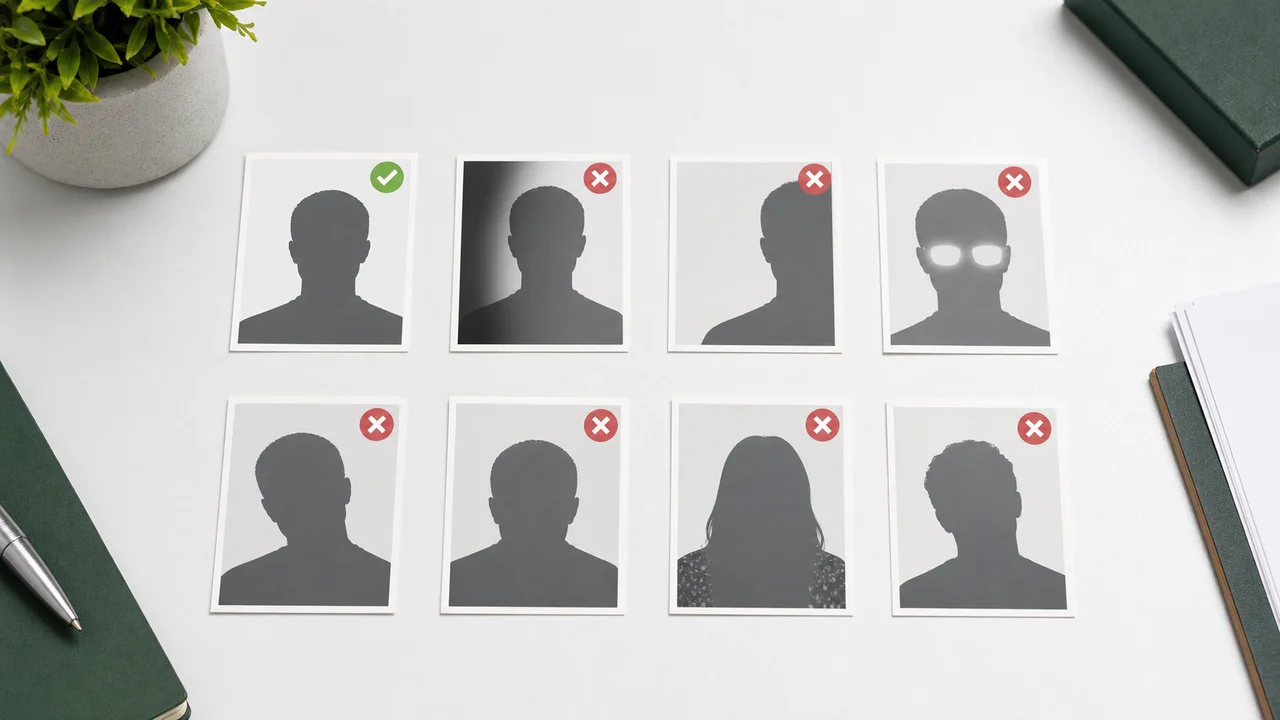
At a glance
- Check the pixel size and the file size range first.
- Background shadows and non-white walls are easy to miss.
- Glare, hair over the eyes, and face tilt can make the photo unsuitable.
- Over-editing can change identity details and should be avoided.
File values to check
The photo may look fine on screen but still fail because the saved file does not match the required pixel size or fall within the official range. Official guidance still names no file format.
Screenshots, messaging-app copies, and social media downloads can change file size or quality. Export a fresh file from the original photo instead.
Visible points to check
A good Saudi eVisa photo should show one applicant, front-facing, with eyes open and a clear face outline. Glasses are not covered by the current official guidance, but glare from lenses can hide the eyes.
Check the background carefully. A shadow behind the head, a colored wall, or a busy pattern can make an otherwise correct file unsuitable.
Final checklist
- Official pixel size and file size.
- Plain white background with no shadow.
- Face fills about 70–80% of the image.
- No glare, red-eye, or heavy retouching.
- Photo taken within the last 6 months.
Create your photo with the iPhone appOpen the App Store
How to use source information
Use the Saudi eVisa photo specification as the baseline for 200 × 200 photos within 5 KB–100 KB. For Hajj/Nusuk or route-specific upload screens, confirm the latest requirement in the portal before submitting.
shoumei.org is an independent photo preparation tool. It is not a visa application service and does not guarantee acceptance or approval.
How Saudi Visa & Umrah Photo helps
200 × 200 output
Exports the face photo at the square size the eVisa portal asks for.
File-size control
Optimizes the exported file for upload instead of leaving you to trial-and-error compression.
Private processing
Cropping, face-position checks, and export happen on the device.
Always compare the final file with the current portal instructions before upload.
FAQ
Can I use a photo with glasses if my eyes are visible?
The current official guidance does not specify a rule for glasses. If lens glare hides your eyes, retaking the photo without them makes the check easier.
Is background removal safe?
It can help when used carefully, but artifacts around hair or shoulders can make the photo look edited. A real white background is safer.
What should I check first before upload?
Start with the pixel size and the file size range. Then inspect the background, face position, shadows, and overall sharpness.
Source pages
- Visit Saudi - Saudi eVisa photo specifications Checked: 2026-09-03