The photo conditions to check first
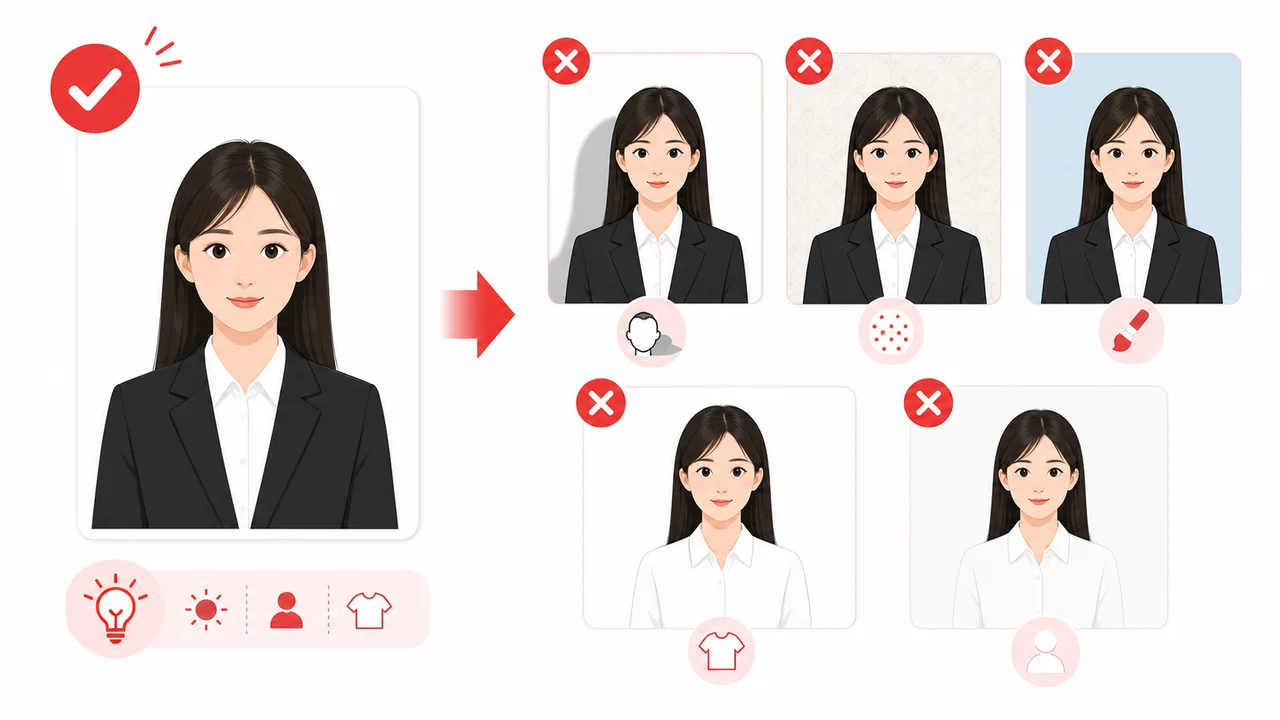
- A China visa photo requires a plain white or near-white background with no shadows.
- Paper photo: 33 × 48 mm high. Digital photo for COVA: 354 × 472 px, JPEG, 40 KB–120 KB.
- The applicant's face should be clearly visible, centered, and evenly lit.
- Printed and digital photo requirements may differ depending on the application route and center.
- Do not rely only on old screenshots or unofficial examples; check the latest official requirements before submission.
What is a China Visa Photo?
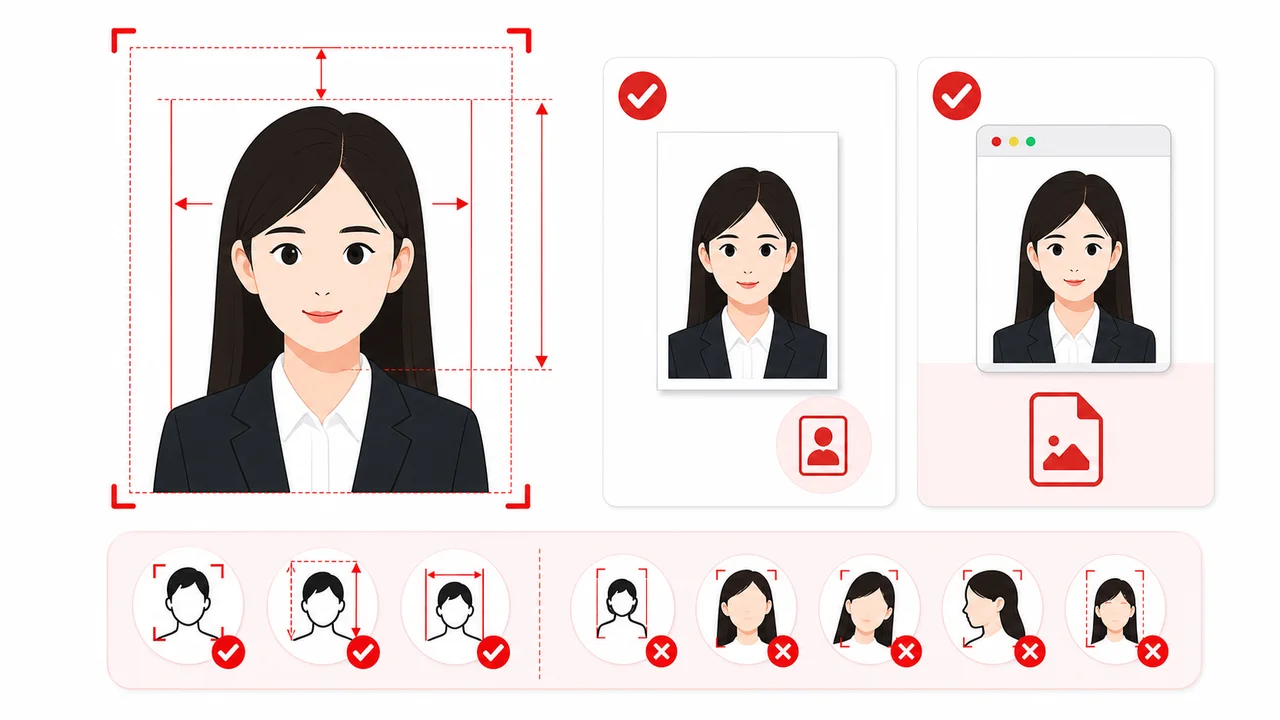
A China visa photo is a specific passport-style photograph that must accompany all Chinese visa applications. It has strict alignment rules regarding head width (15–22 mm), head height (28–33 mm), top margin (3–5 mm), and background color (plain white or near-white).
Where these requirements come from
Requirements are based on instructions from the China Online Visa Application (COVA) portal, Chinese embassy and consulate pages, and Visa Application Service Center guidance. Specifications may vary slightly by country, center, or application route. For final and authoritative regulations, please refer directly to official governmental resources.
! Some details are being re-checked Last checked: September 3, 2026
Some details are being re-checked
We are re-checking part of this information against the official sources. For the latest details, follow the official guidance for your application.
Printed vs Digital & Passport Photos
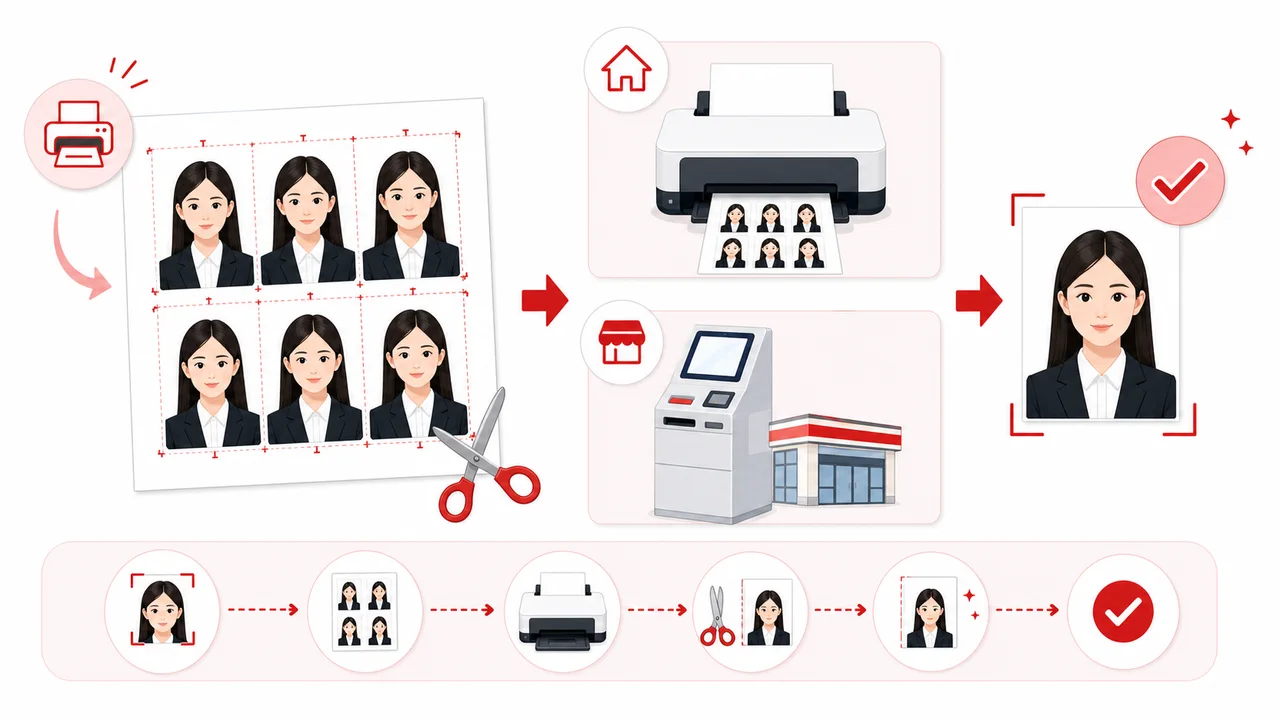
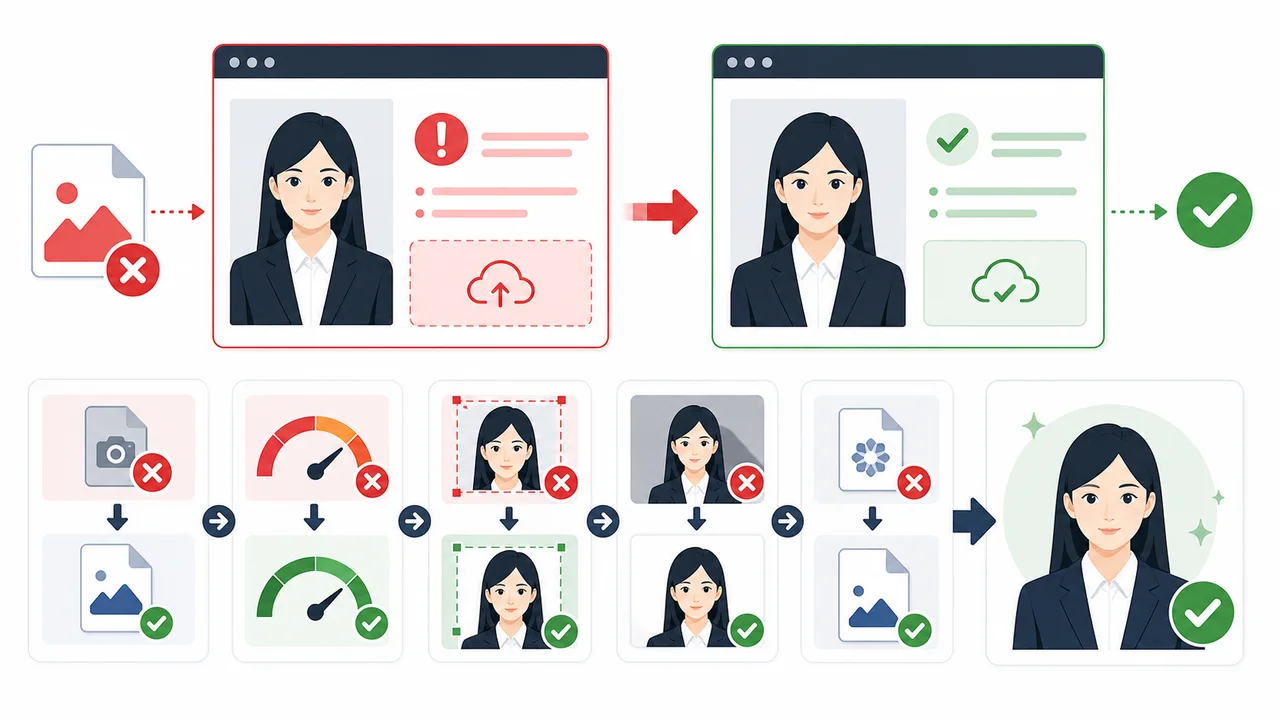
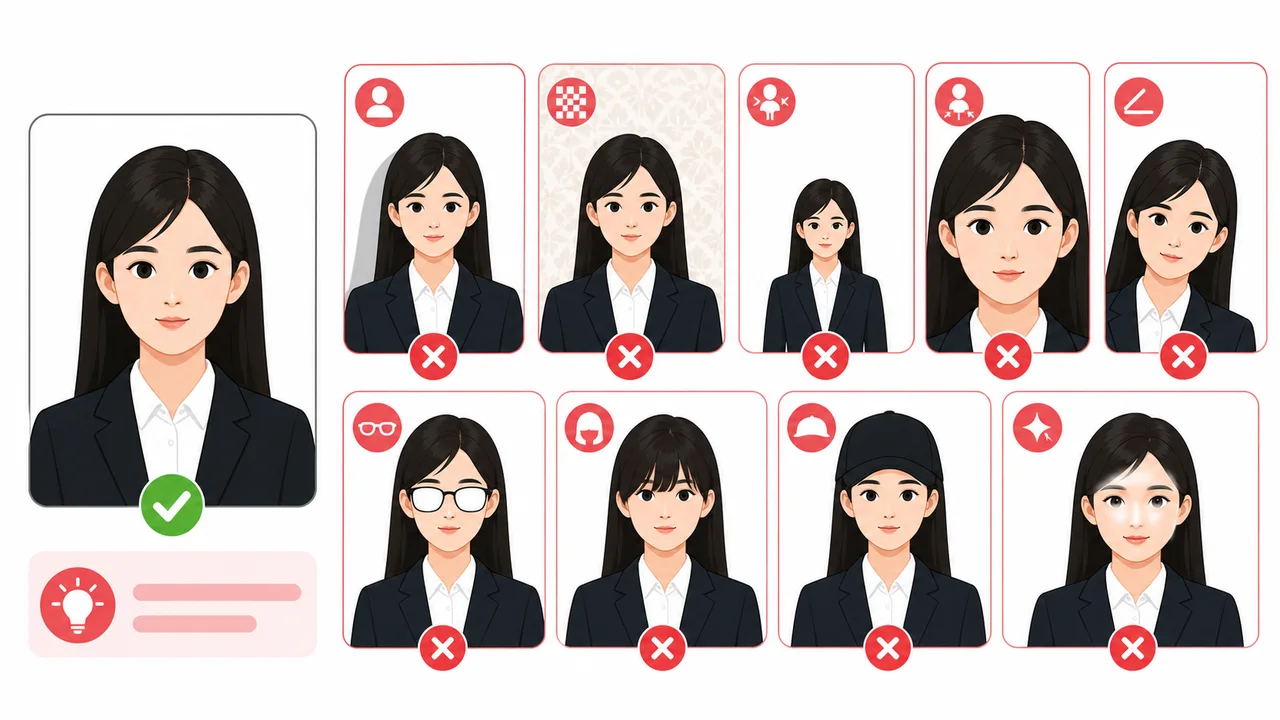
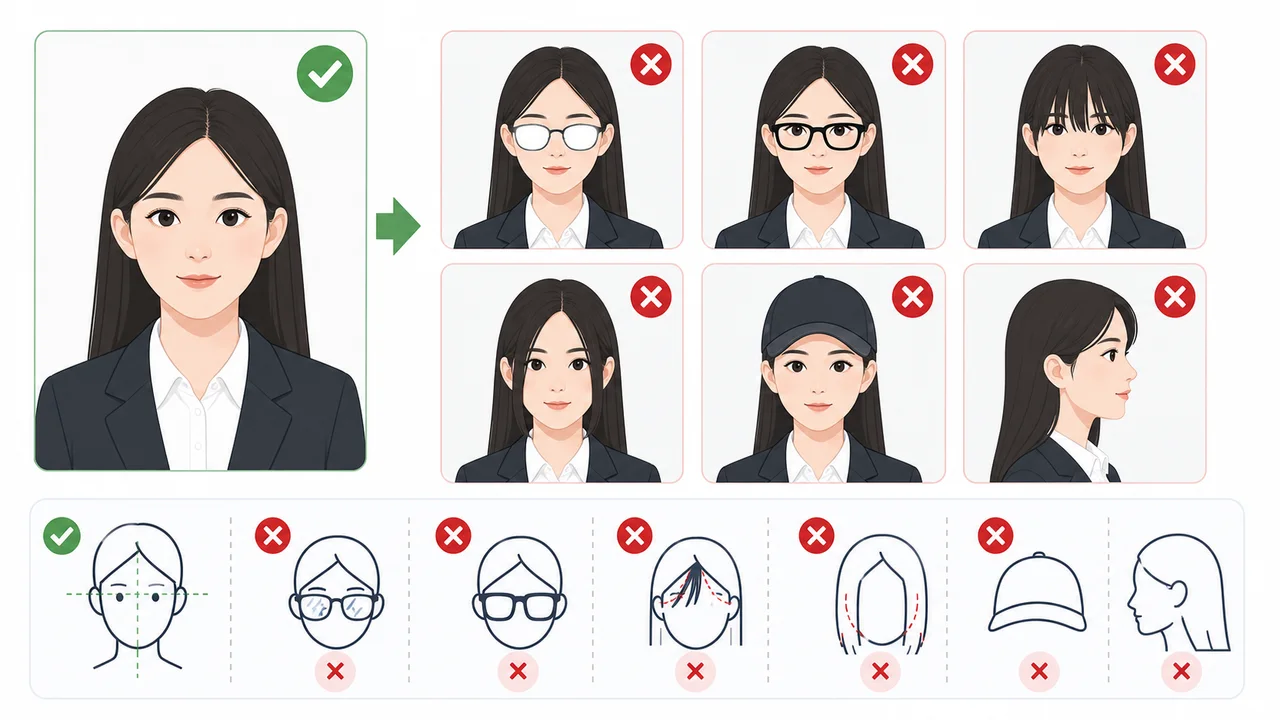
Official Requirements Summary
Use this summary to match your photo to your application format.
| Photo Size | Paper: 33 × 48 mm high | Digital: 354 × 472 px (some centers mention up to 420 × 560 px) |
|---|---|
| Background Color | Plain white or near-white, no shadows |
| Head Position & Size | Head width: 15–22 mm, Head height: 28–33 mm, Top margin: 3–5 mm |
| Facial Expression | Neutral expression, mouth closed, eyes open & looking at camera, no teeth showing |
| Glasses | Not prohibited, but removing is safest. If worn: thin frames, no dark lenses, no glare, frames must not cover eyes |
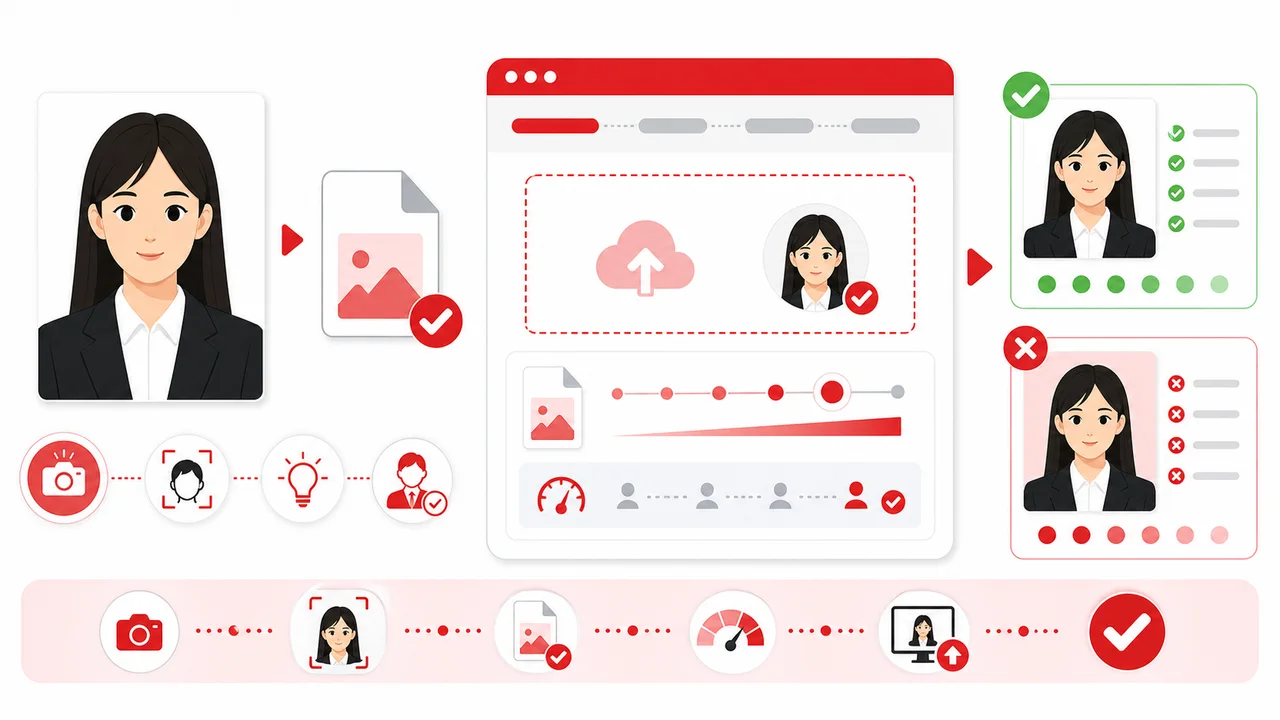
| Digital Format | JPEG, 24-bit RGB true color |
| Digital File Size | 40 KB–120 KB |
| Recency | Taken within the last 6 months |
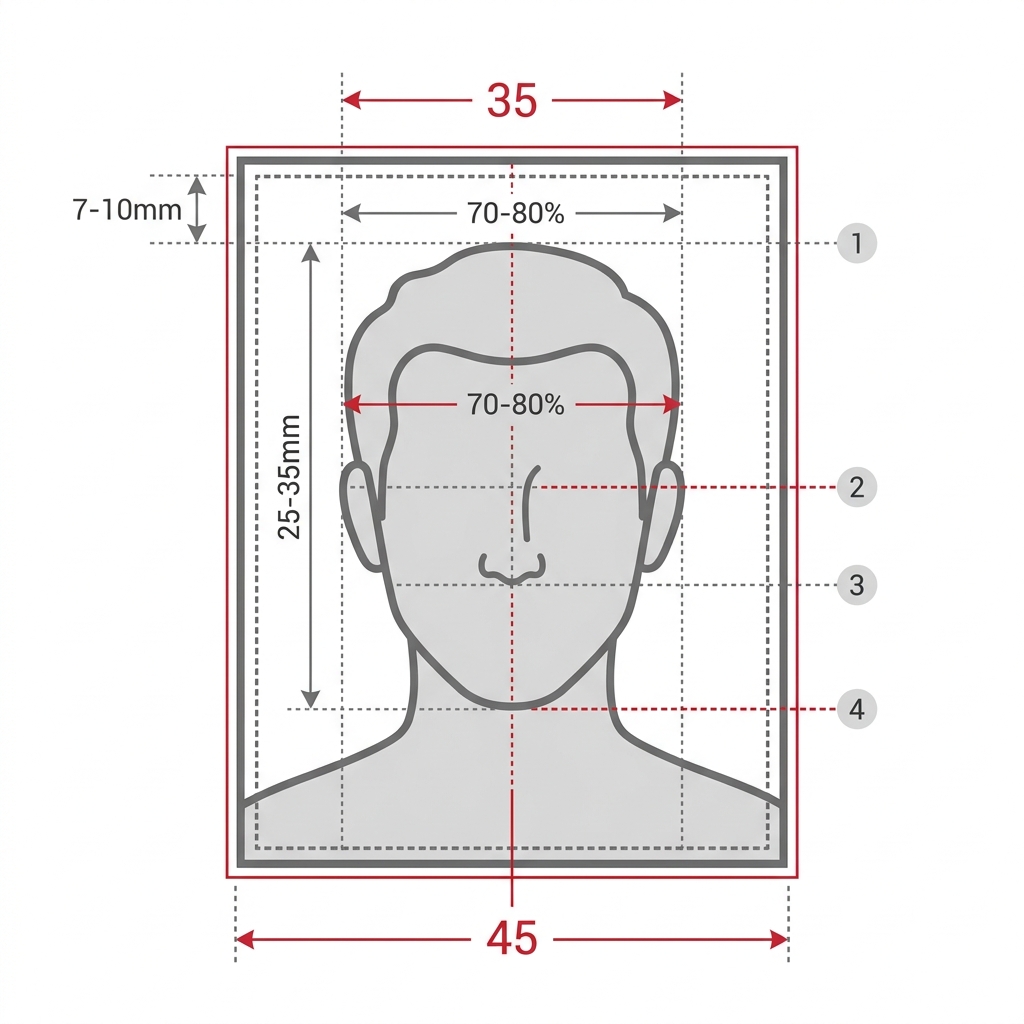
Printed vs Digital & Passport Photos
Here is where printed photos, digital uploads, and passport photos differ.
Printed photo vs digital photo
For China visa applications, printed photo specifications follow the official print size, whereas digital online submissions via COVA focus on pixel counts (354 × 472 px standard; some centers mention larger pixel ranges), specific file sizes (40 KB–120 KB), and JPEG 24-bit RGB format.
China visa photo vs passport photo
A standard China visa photo follows the official print size, which differs from standard US passport photos (2 × 2 inches) and Schengen/Japanese passport photos (35mm × 45mm). You cannot assume your standard passport photo will be accepted.
Embassy requirements may vary by location
Embassies, consulates, and Visa Application Service Centers in different countries or regions may use slightly different wording or specific validation rules. Always check the official website of the specific center where you will apply.
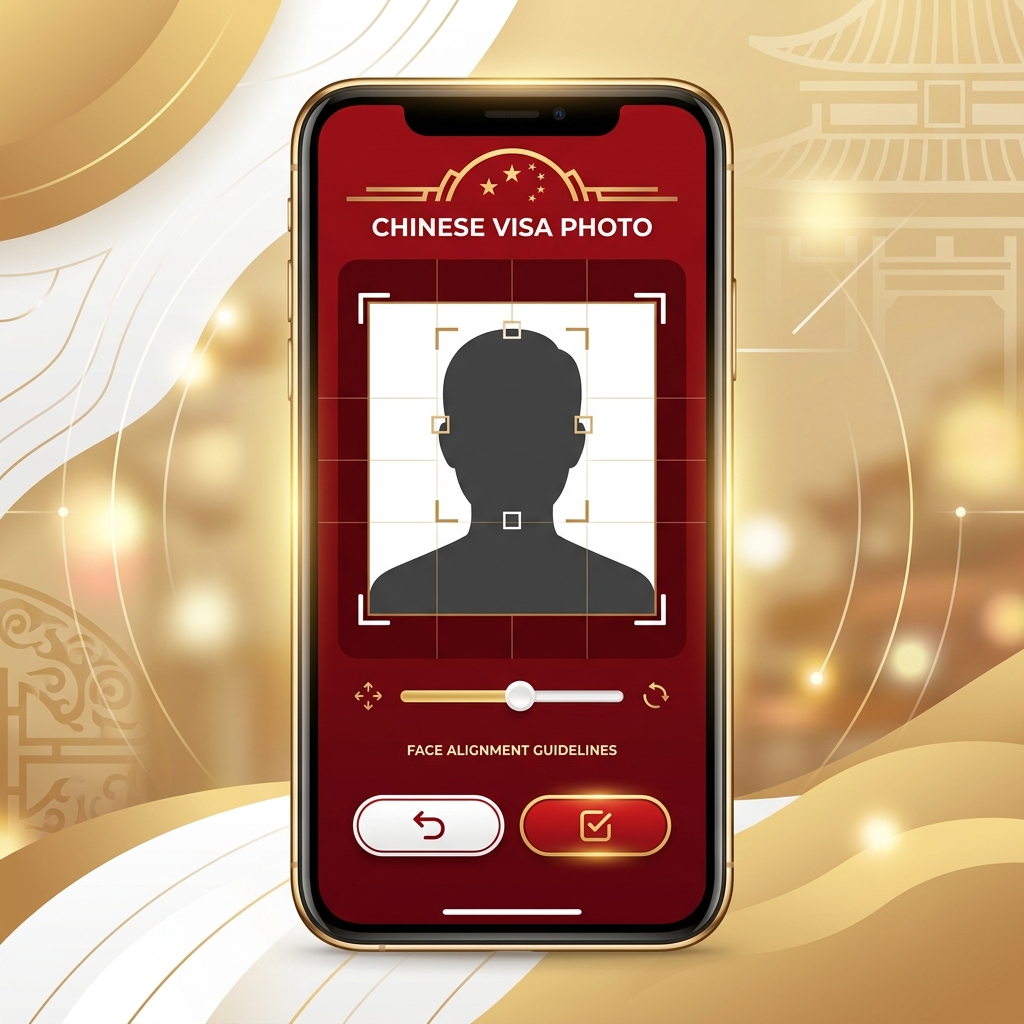
How to Prepare a China Visa Photo on Your Phone
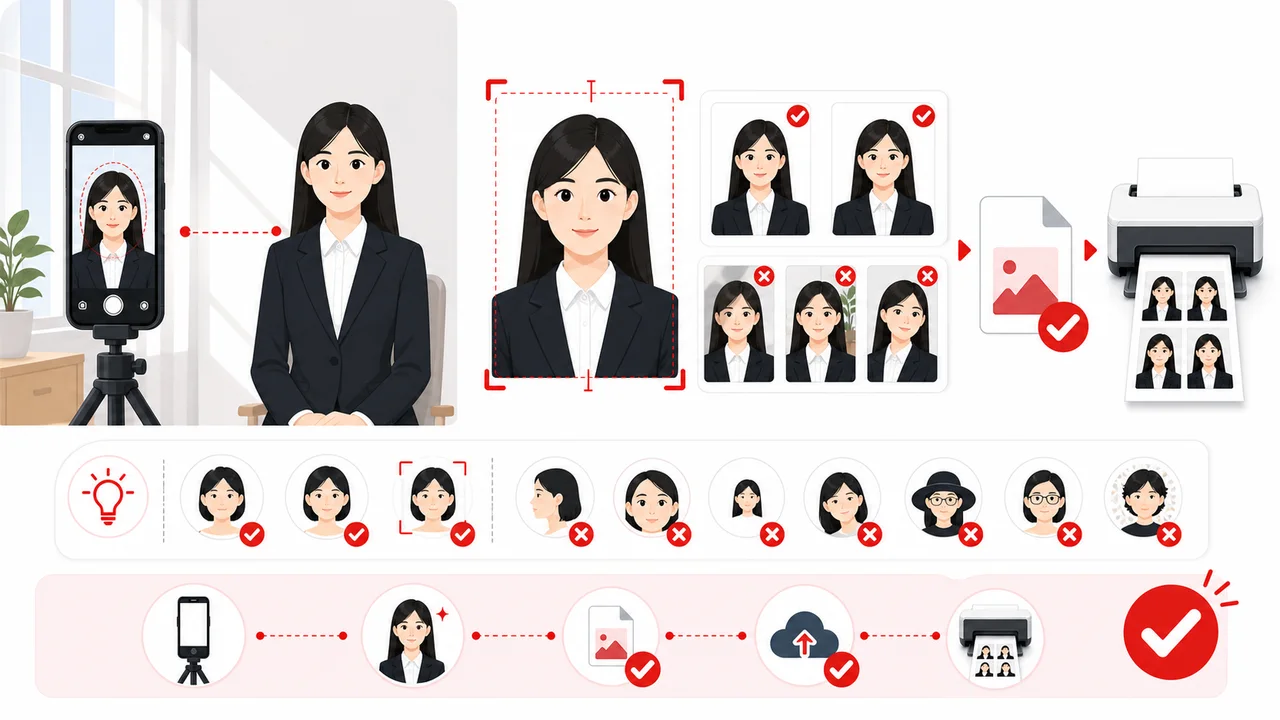
Take a photo in front of a plain white wall with even, natural lighting.
Adjust your face position using the template overlay guide.
Check that the background is plain white or near-white, with no shadows on your face or behind you.
Export the prepared photo as a print layout and/or a COVA-style JPEG that matches the sizes above.
Double-check all official embassy or visa center requirements before uploading or printing.
Photo conditions that can cause problems
Check these photo conditions before you submit. Getting them right during the shoot saves a retake later.
Shadows on Face or Background
Uneven lighting or standing too close to the wall can create shadows. Ensure soft, even lighting with no shadows on the face or behind the head.
Glasses & Reflections
Glasses are not prohibited, but removing them is strongly recommended. Thick frames, dark lenses, glare, and frames that cover the eyes can lead to rejection.
Incorrect Head Size
Your head should be 28–33 mm tall. Tilting the head is also not allowed.
Hair Covering Ears or Eyebrows
It is safest to keep your forehead, eyebrows, and ears clearly visible. Official guidance from some embassies states that ears should be visible. Avoid letting hair cover your eyes, eyebrows, or the contours of your face.
White Clothes on White Background
Avoid white or very light clothing because it can blend into the white background. Darker clothing provides clearer separation.
Wrong File Size or Dimensions
The COVA digital upload requires a JPEG within the official file size range at the standard pixel size. An incorrect file size or resolution can fail upload validation.
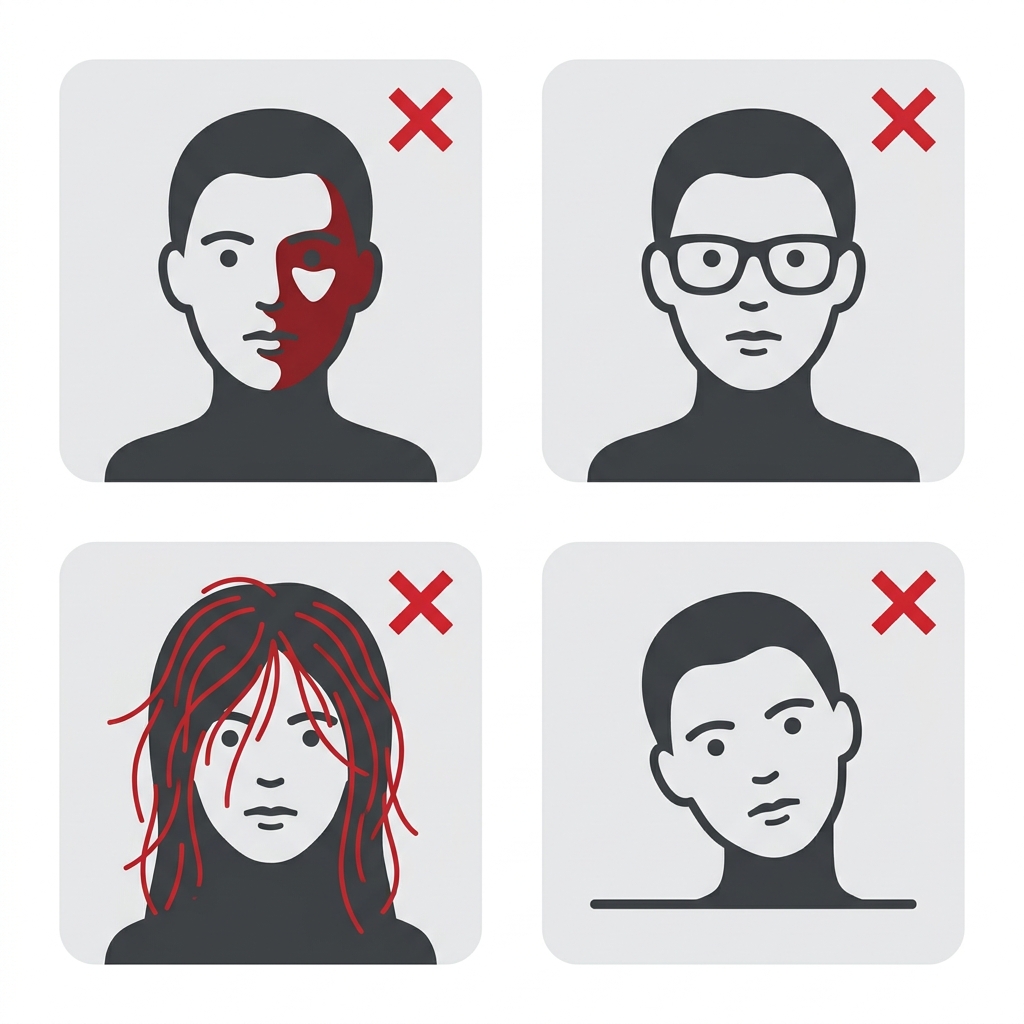
Before you submit
Before saving or submitting your photo, review the most common points of failure.
If you are unsure, you can create and check your photo with a preparation tool.
How the App Helps You Prepare Your Photo
On-Screen Template Guide
Align your face with the official guide lines to easily meet the strict height and width specifications.
Background Check & Guidance
Check whether the background is plain white or near-white, with no shadows. It is safest to take the photo in front of a white wall from the start. If you use a background cleanup feature, use it carefully and verify the final image looks natural.
COVA-Style JPEG Export
Export a JPEG sized for COVA's digital upload requirements — the exact pixel and file-size targets are in the table above. Final acceptance depends on the COVA upload check, visa center, embassy or consulate.
Privacy First Processing
All image adjustments are processed entirely on your device. Your photos are never sent to a server.
Note: shoumei.org is an independent photo formatting tool to assist in preparation. It is not affiliated with COVA, the Ministry of Foreign Affairs of China, any Chinese embassy or consulate, or any visa application center. It does not submit visa applications or guarantee acceptance.
Frequently Asked Questions
What are the China visa photo requirements?
Paper submissions follow the print size, and COVA digital uploads use the standard pixel size within the official file size range, on a plain white or near-white background, taken within the last 6 months. The table above breaks this down by format.
What size is a China visa photo?
Paper submissions: 33 × 48 mm high. COVA digital uploads: 354 × 472 px. Some centers mention up to 420 × 560 px; follow your upload screen or local visa center instructions.
Is the China visa photo 33 × 48 mm or 48mm × 33mm?
Both expressions describe the same photo in landscape wording. Official Chinese embassy and COVA pages sometimes write the dimensions in reverse order, meaning height by width.
What are the COVA digital photo requirements?
JPEG in 24-bit RGB true color at the standard pixel size and within the official file size range. Some visa center pages mention ranges up to 420 × 560 px. 354 × 472 px is the safest standard COVA output.
Does a China visa photo need to be 354 × 472 px?
For COVA online uploads, yes — that pixel size is the standard requirement. A few centers mention up to 420 × 560 px, so follow your upload screen if it shows a different limit.
What file size is required?
the official size range in JPEG format. Files outside that range can fail the COVA upload validation.
What background is required?
Plain white or near-white with no shadows, patterns, or objects. Take the photo in front of a white wall with even lighting.
Can I change the background after taking the photo?
The safest approach is to photograph in front of a white or near-white wall from the start. Background cleanup tools sometimes leave edge artifacts, and a replaced background does not guarantee acceptance.
Can I wear glasses?
Glasses are allowed, though taking them off is strongly recommended. If worn: thin frames only, no dark lenses, no glare, frames must not cover or overlap the eyes. Eyes must be clearly visible.
Should my ears and eyebrows be visible?
Yes. Keep your forehead, eyebrows, and ears clearly visible, tuck long hair behind your ears, and make sure no hair covers your eyes or face outline.
Can I wear white clothes?
It is better to avoid them. Light clothing can blend into a white background, so darker colors give clearer separation.
Do I need a printed photo or digital upload?
It depends on your application route. COVA online requires a digital upload (JPEG at the standard pixel size within the file size range). Some procedures may also require printed photos. Check the specific embassy, consulate, or visa center instructions.
Do I need to write my name on the back of the printed photo?
Some procedures or centers may require your name or other details on the back. The embassy, consulate, or visa center where you apply can confirm this.
Does shoumei.org submit my visa application?
No. The app formats and exports a photo file. You must complete and submit your application through the official COVA portal or your local embassy or consulate.
Is this an official China visa app?
No. This is an independent photo formatting tool, not affiliated with COVA, the Ministry of Foreign Affairs of China, any Chinese embassy or consulate, or any visa application center.
Does shoumei.org guarantee acceptance?
No. The app helps you prepare a photo file, but final acceptance depends on the COVA upload check, visa center, embassy or consulate.
Are photos uploaded to a server?
No. All processing happens on your iPhone. Photos are never sent to a server.
What conditions can cause a China visa photo to be rejected?
Background shadows, hair covering the eyebrows or eyes, glasses with thick frames or glare, white clothing blending into the background, incorrect head dimensions, a file size outside the official range, or a photo older than 6 months.
Create your photo in the browser
Prepare the photo for China Visa directly in your smartphone or computer browser. Creating and reviewing are free.
What this tool creates
- the required face photo (for digital upload)
Prepare Your China Visa Photo Now
Get a formatted photo file matching official sizes using your iPhone in minutes.
Download on the App Store