تجهيز ملفات تأشيرة فيتنام الإلكترونية
Vietnam e-Visa: ظهور Incorrect Portrait Photo بعد قص صورة جواز السفر
تطلب بوابة Vietnam e-Visa صورة شخصية ملتقطة حديثًا وصورة لصفحة بيانات جواز السفر في حقلين منفصلين. أفاد بعض المتقدمين بأن قص الوجه من صورة جواز السفر ووضعه في حقل الصورة الشخصية رُفض بوصفه “incorrect portrait photo”، أو أن استخدام الصورة نفسها في الحقلين أدى إلى إعادة العمل أو طول المعالجة؛ هذه تقارير متقدمين وليست حظرًا رسميًا.
تم الفحص: 2026-08-14
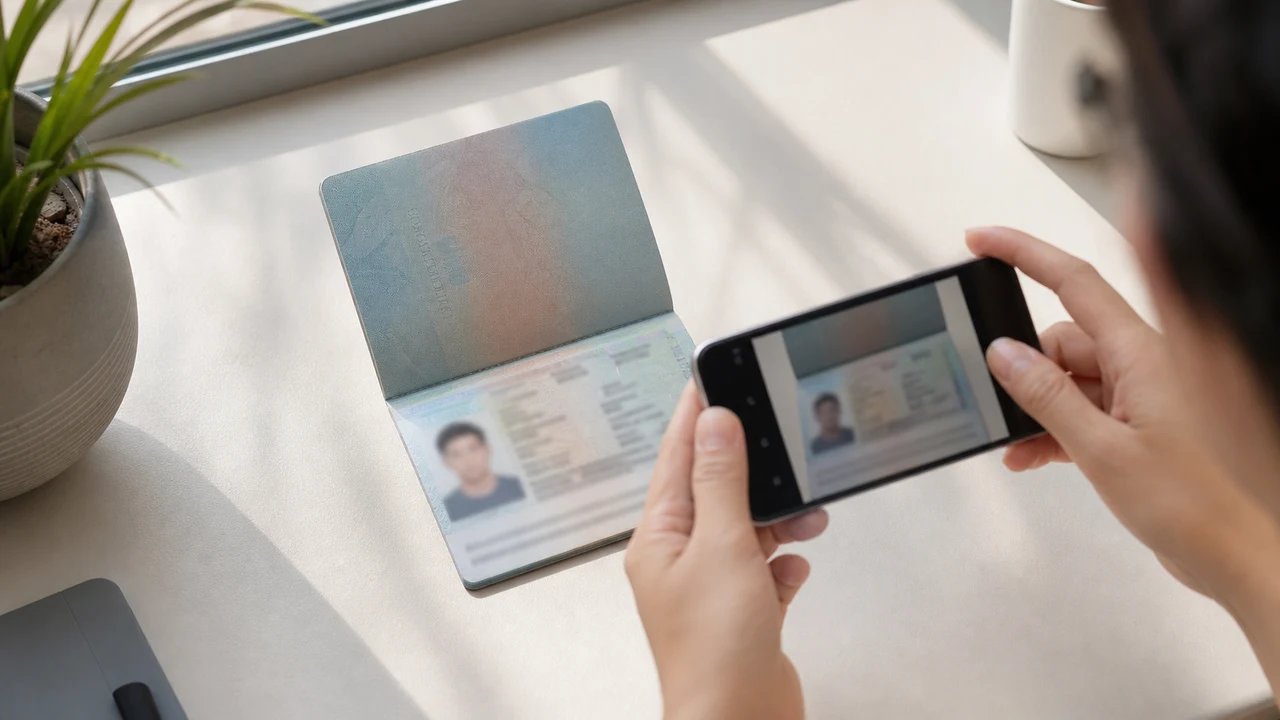
شروط الصورة التي يجب التحقق منها أولاً
- تطلب البوابة صورة شخصية جديدة وصورة صفحة بيانات جواز السفر كتحميلين منفصلين.
- تصف تقارير المتقدمين رفض قصاصات صورة جواز السفر وإعادة العمل بعد تكرار الملف؛ ولا تثبت هذه التقارير قاعدة رسمية منشورة.
- جهّز صورة شخصية جديدة للحقل الأول واترك صورة صفحة البيانات لحقل جواز السفر.
- تحقق قبل الرفع من أن كل ملف في الحقل الصحيح ويتبع تعليمات الصورة الشخصية المنشورة.
لماذا قد يظهر قص صورة جواز السفر بوصفه “Incorrect Portrait Photo”
Across applicant reports, people have described taking the face area from a passport Data Page image and using that crop as the portrait upload. Some reports describe an “incorrect portrait photo” rejection, while others describe rework or longer processing after the same image was selected for both upload fields.
These are observations reported by applicants, not a published official prohibition. The official portal instructions describe the portrait and passport Data Page as separate uploads; they do not state that a passport photo crop is prohibited.
افصل بين حقلي الرفع
The official user manual shows a portrait upload and a passport Data Page upload as separate steps. It also shows automatic validation, personal-data extraction, and a submission block when an image is invalid.
That official flow explains why the two fields should be treated as different files. It does not publish the exact rule that produces an “incorrect portrait photo” message or any processing-time threshold.
جهّز الملفين بشكل صحيح
- Take a new portrait for the portrait field instead of cropping the face from the passport Data Page image.
- Use the published portrait instructions: 4 × 6 cm, JPG / JPEG, under 2 MB, white background, straight face, no hat, no glasses, and formal clothes.
- Use the passport Data Page image only in the passport upload field, keeping the page clear and its corners visible.
- Before selecting each file, check the preview or filename so the portrait and passport images are not swapped.
- If the portal reports an incorrect portrait, prepare a fresh portrait and keep the two upload fields separate rather than duplicating one file.
متطلبات الصورة الشخصية المنشورة في البوابة الرسمية
- The official portal lists a newly taken 4 × 6 cm portrait in JPG / JPEG, under 2 MB, with a white background, a straight face, no hat, no glasses, and formal clothes.
- The portal also asks for a clear passport Data Page image. Keep that image complete and readable; do not treat its face area as the portrait file.
- The official instructions do not publish a pixel similarity score, crop ratio, or other numeric boundary for deciding whether a portrait is accepted.
ما الذي يوضحه بلاغ الصورة الشخصية غير الصحيحة وما الذي لا يوضحه
An applicant report can tell you that this combination of files was rejected or required another attempt. It cannot establish that the portal has a universal “passport crop” rule, nor can it reveal the exact automated check behind the message.
Use the report as a reason to separate the files and follow the published portrait instructions, not as evidence of an unpublished government requirement.
جهّز صورة شخصية جديدة من دون تغيير هويتك
A face-photo workflow can help prepare a 4 × 6 cm portrait JPEG from a new capture. It does not decide whether the official portal will accept the file and cannot guarantee the portal’s validation result.
Keep the portrait truthful and use the passport Data Page image as the separate document upload. Do not digitally alter the face to imitate the passport image or to bypass the portal’s checks.
أدلة الرفع المرتبطة بـ Vietnam e-Visa
For a broader file checklist, start with the guides below. They stay within the same official portal upload flow.
أنشئ صورتك في المتصفح
جهّز الصورة الخاصة بـ تأشيرة فيتنام الإلكترونية مباشرة في متصفح هاتفك أو حاسوبك. الإنشاء والمراجعة مجانيان.
افتح أداة الويبما الذي تنشئه هذه الأداة
- صورة الوجه المطلوبة (للتحميل الرقمي)
- صفحة بيانات جواز السفر (صفحة الصورة) (لتحميل المستندات)
متاح أيضًا كتطبيق iPhoneافتح App Store
ملاحظة المصدر الرسمي
صورة الوجه وصورة صفحة بيانات جواز السفر تتبعان تعليمات نظام التأشيرة الإلكتروني الوطني الفيتنامي. يُجهّز التطبيق الملفات؛ ويتم تقديم طلب التأشيرة نفسه على البوّابة الرسمية evisa.gov.vn.
شروط الصورة التي قد تسبب مشكلات
قد يؤدي مجموعة صغيرة من المشكلات المتكررة إلى رفض الملفات في تأشيرة فيتنام الإلكترونية. تساعد هذه الفحوصات في تقليل أخطاء الرفع، لكنها لا تضمن قبول صورتك أو طلبك.
-
خلفية رمادية أو ذات نقوش
الظلال أو الألوان أو النقوش خلف الرأس تسبب الرفض غالبًا. استخدم جدارًا أبيض أو فاتحًا جدًا واقترب قليلًا لتليين الظل.
-
انعكاسات على النظارات أو عيون مخفية
الانعكاسات والإطارات التي تحجب العيون من الأسباب الرئيسية لرفض صور الوجه. خلع النظارة قبل التصوير هو الخيار الأكثر أمانًا.
-
صفحة بيانات جواز السفر غير مقروءة
إذا كانت سطور MRZ أو الاسم أو رقم جواز السفر غير واضحة أو مخفية بانعكاسات، فقد يُرفض الملف حتى لو كانت صورة الوجه سليمة.
-
حجم الملف كبير جدًا أو صيغة خاطئة
صدّر صورة JPG / JPEG أقل من الحد الرسمي وهو 2 ميغابايت. ملف PNG أو ملف كبير الحجم قد يُرفض عند الرفع حتى لو بدت الصورة صحيحة.
-
شعر على العينين أو ميلان الرأس
الشعر على الحاجبين أو العينين وإمالة الرأس تجعل التحقق صعبًا. أبقِ رأسك مستقيمًا والشعر بعيدًا عن الوجه.
لماذا تستخدم shoumei.org لملفات Vietnam e-Visa
تصدير دقيق 4 × 6 cm / 2:3
يصدّر التطبيق ملف JPEG بمقاس 1200 × 1800 px يطابق نسبة الطول لـ e-Visa فيتنام، مما يجنبك مشكلة الاقتصاص المربع منذ البداية.
أقل من 2 ميغابايت مع تفاصيل مقروءة
يضغط ملف JPEG دون الحد الرسمي للحجم مع الحفاظ على تفاصيل الوجه ونص جواز السفر مقروءة قدر ما تسمح الصورة الأصلية.
إرشادات الخلفية ومحاذاة الوجه
تساعد الإرشادات المدمجة على توسيط الوجه، وترك الهوامش الصحيحة، وفحص الخلفية البيضاء قبل التصدير.
الخصوصية على الجهاز
تتم معالجة الصور على جهازك. لا تُرفع أي صورة أو صورة جواز سفر إلى خادم عبر shoumei.org.
shoumei.org أداة مستقلة لتجهيز الملفات، ولا يتبع لحكومة فيتنام أو بوابة evisa.gov.vn، واستخدامه لا يضمن قبول صورتك أو صورتك لجواز السفر أو طلب التأشيرة أو الموافقة عليه.
الأسئلة الشائعة
هل يمكنني استخدام قصاصة من صورة جواز سفري كصورة Vietnam e-Visa الشخصية؟
Do not use the passport Data Page image as the portrait upload. The official portal treats the portrait and passport image as separate fields, while applicant reports describe passport-photo crops being rejected as an incorrect portrait; the reports are not an official prohibition.
لماذا أتجنب استخدام الصورة نفسها في حقلي رفع Vietnam e-Visa؟
The two fields represent separate uploads in the official portal flow. Applicant reports describe duplicated or swapped files leading to rework or longer processing, but they do not establish a published official processing rule.
ماذا يجب أن يتضمن ملف الصورة الشخصية لـ Vietnam e-Visa؟
Use a newly taken 4 × 6 cm JPG / JPEG portrait under 2 MB, with a white background, a straight face, no hat, no glasses, and formal clothes. Upload the passport Data Page image separately.
هل يمكن لأداة الصور ضمان قبول البوابة للصورة الشخصية الجديدة؟
No. The tool can help prepare the portrait output, but the official portal performs its own validation and acceptance decision. Keep the two upload fields separate and confirm the latest portal instructions before submitting.
المصادر الرسمية
- Vietnam e-Visa — Official portal photo upload terms (evisa.gov.vn) تم الفحص: 2026-08-14
- Vietnam e-Visa — Official user manual / application instructions تم الفحص: 2026-08-14