การเตรียมไฟล์ Vietnam e-Visa
Vietnam e-Visa: Incorrect Portrait Photo หลังตัดรูปจากหนังสือเดินทาง
พอร์ทัล Vietnam e-Visa ให้แยกอัปโหลดภาพบุคคลที่ถ่ายใหม่และภาพหน้าข้อมูลหนังสือเดินทางในคนละช่อง ผู้สมัครบางรายรายงานว่าการตัดใบหน้าจากภาพหนังสือเดินทางมาใช้ในช่องภาพบุคคลถูกปฏิเสธเป็น “incorrect portrait photo” หรือการใช้ภาพเดียวกันในสองช่องทำให้ต้องแก้ไขหรือใช้เวลานานขึ้น รายงานเหล่านี้ไม่ใช่ข้อห้ามอย่างเป็นทางการ
ตรวจสอบแล้ว: 2026-08-14
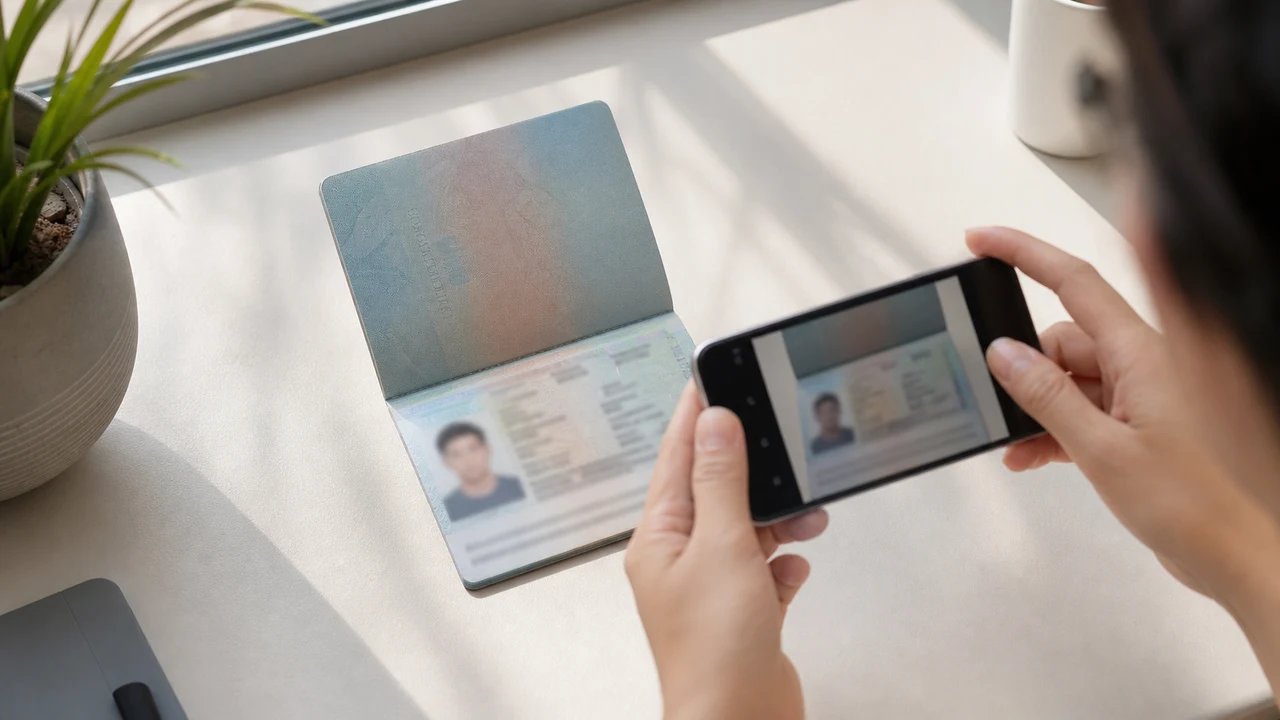
เงื่อนไขรูปถ่ายที่ควรตรวจสอบก่อน
- พอร์ทัลขอภาพบุคคลใหม่และภาพหน้าข้อมูลหนังสือเดินทางเป็นการอัปโหลดสองรายการแยกกัน
- รายงานของผู้สมัครกล่าวถึงการปฏิเสธรูปที่ตัดจากหนังสือเดินทางและการแก้ไขเมื่อใช้ไฟล์ซ้ำ แต่ไม่ใช่กฎทางการที่เผยแพร่
- เตรียมภาพบุคคลใหม่สำหรับช่องภาพบุคคล และใช้ภาพหนังสือเดินทางในช่องของตนเอง
- ก่อนอัปโหลด ตรวจสอบว่าไฟล์แต่ละไฟล์อยู่ในช่องที่ถูกต้องและทำตามคำแนะนำภาพบุคคลที่เผยแพร่
เหตุใดรูปที่ตัดจากหนังสือเดินทางอาจถูกแจ้งว่า “Incorrect Portrait Photo”
Across applicant reports, people have described taking the face area from a passport Data Page image and using that crop as the portrait upload. Some reports describe an “incorrect portrait photo” rejection, while others describe rework or longer processing after the same image was selected for both upload fields.
These are observations reported by applicants, not a published official prohibition. The official portal instructions describe the portrait and passport Data Page as separate uploads; they do not state that a passport photo crop is prohibited.
แยกช่องอัปโหลดสองช่องออกจากกัน
The official user manual shows a portrait upload and a passport Data Page upload as separate steps. It also shows automatic validation, personal-data extraction, and a submission block when an image is invalid.
That official flow explains why the two fields should be treated as different files. It does not publish the exact rule that produces an “incorrect portrait photo” message or any processing-time threshold.
เตรียมไฟล์ทั้งสองให้ถูกต้อง
- Take a new portrait for the portrait field instead of cropping the face from the passport Data Page image.
- Use the published portrait instructions: 4 × 6 cm, JPG / JPEG, under 2 MB, white background, straight face, no hat, no glasses, and formal clothes.
- Use the passport Data Page image only in the passport upload field, keeping the page clear and its corners visible.
- Before selecting each file, check the preview or filename so the portrait and passport images are not swapped.
- If the portal reports an incorrect portrait, prepare a fresh portrait and keep the two upload fields separate rather than duplicating one file.
ข้อกำหนดภาพบุคคลที่พอร์ทัลทางการเผยแพร่
- The official portal lists a newly taken 4 × 6 cm portrait in JPG / JPEG, under 2 MB, with a white background, a straight face, no hat, no glasses, and formal clothes.
- The portal also asks for a clear passport Data Page image. Keep that image complete and readable; do not treat its face area as the portrait file.
- The official instructions do not publish a pixel similarity score, crop ratio, or other numeric boundary for deciding whether a portrait is accepted.
รายงานภาพบุคคลไม่ถูกต้องบอกอะไรและไม่บอกอะไร
An applicant report can tell you that this combination of files was rejected or required another attempt. It cannot establish that the portal has a universal “passport crop” rule, nor can it reveal the exact automated check behind the message.
Use the report as a reason to separate the files and follow the published portrait instructions, not as evidence of an unpublished government requirement.
เตรียมภาพบุคคลใหม่โดยไม่เปลี่ยนตัวตน
A face-photo workflow can help prepare a 4 × 6 cm portrait JPEG from a new capture. It does not decide whether the official portal will accept the file and cannot guarantee the portal’s validation result.
Keep the portrait truthful and use the passport Data Page image as the separate document upload. Do not digitally alter the face to imitate the passport image or to bypass the portal’s checks.
คู่มืออัปโหลด Vietnam e-Visa ที่เกี่ยวข้อง
For a broader file checklist, start with the guides below. They stay within the same official portal upload flow.
สร้างรูปภาพในเบราว์เซอร์
เตรียมรูปภาพสำหรับวีซ่าอิเล็กทรอนิกส์เวียดนามได้โดยตรงในเบราว์เซอร์ของโทรศัพท์หรือคอมพิวเตอร์ การสร้างและตรวจสอบฟรี
เปิดเครื่องมือเว็บเครื่องมือนี้สร้างอะไรได้
- รูปถ่ายใบหน้าที่ต้องการ (สำหรับอัปโหลดแบบดิจิทัล)
- หน้าข้อมูลชีวประวัติของหนังสือเดินทาง (หน้ารูปถ่าย) (สำหรับอัปโหลดเอกสาร)
ใช้ผ่านแอป iPhone ได้ด้วยเปิด App Store
หมายเหตุเกี่ยวกับแหล่งอย่างเป็นทางการ
รูปถ่ายหน้าและรูปภาพหน้าข้อมูลพาสปอร์ตจัดทำตามคำแนะนำของระบบ Vietnam National Electronic Visa แอปเตรียมไฟล์ ส่วนการยื่นคำขอวีซ่าเองทำบนพอร์ทัล evisa.gov.vn อย่างเป็นทางการ
เงื่อนไขรูปถ่ายที่อาจก่อปัญหา
ปัญหาไม่กี่อย่างที่ซ้ำๆ กันอาจทำให้ไฟล์ e-Visa ถูกส่งกลับ การตรวจสอบเหล่านี้ช่วยลดปัญหาการอัปโหลด แต่ไม่รับประกันว่าภาพหรือคำขอของคุณจะได้รับการยอมรับ
-
พื้นหลังเทาหรือมีลาย
เงา สี หรือลวดลายด้านหลังศีรษะมักทำให้ถูกปฏิเสธ ให้ใช้ผนังสีขาวหรือสีอ่อนล้วนและก้าวเข้าใกล้เพื่อให้เงานุ่มลง
-
แสงสะท้อนแว่นตาหรือตาถูกบัง
แสงสะท้อนและกรอบแว่นที่บังตาเป็นสาเหตุหลักของการปฏิเสธภาพใบหน้า การถอดแว่นก่อนถ่ายเป็นทางเลือกที่ปลอดภัยที่สุด
-
หน้ากรอกข้อมูลพาสปอร์ตอ่านไม่ได้
หากบรรทัด MRZ ชื่อ หรือหมายเลขพาสปอร์ตมัวหรือถูกบดบังด้วยแสงสะท้อน ไฟล์อาจถูกปฏิเสธแม้ภาพใบหน้าจะปกติ
-
ไฟล์ใหญ่เกินหรือรูปแบบผิด
ส่งออกเป็น JPG / JPEG ใต้ขีดจำกัด 2 MB ทางการ ไฟล์ PNG หรือไฟล์ที่ใหญ่เกินอาจถูกปฏิเสธตอนอัปโหลดแม้ภาพจะดูถูกต้อง
-
ผมบังตาหรือศีรษะเอียง
ผมบังคิ้วหรือตาและศีรษะเอียงทำให้ตรวจสอบยาก ให้ถือศีรษะตรงและผมไม่บังใบหน้า
ทำไมต้องใช้ shoumei.org สำหรับไฟล์ Vietnam e-Visa
ส่งออก 4 × 6 cm / 2:3 ที่แม่นยำ
แอปส่งออก JPEG 1200 × 1800 px ที่ตรงกับสัดส่วนแนวตั้งของ e-Visa เวียดนาม ช่วยหลีกเลี่ยงปัญหาครอบตัดสี่เหลี่ยมตั้งแต่แรก
ใต้ 2 MB และคงรายละเอียดที่อ่านได้
บีบอัด JPEG ให้อยู่ใต้ขีดจำกัดทางการแต่ยังคงรายละเอียดใบหน้าและข้อความพาสปอร์ตให้อ่านได้มากที่สุดเท่าที่ภาพต้นฉบับอนุญาต
คู่มือพื้นหลังและการจัดวางใบหน้า
คู่มือในตัวช่วยจัดกึ่งกลางใบหน้า เว้นระยะขอบที่ถูกต้อง และตรวจพื้นหลังสีขาวก่อนส่งออก
ความเป็นส่วนตัวบนอุปกรณ์
การประมวลผลภาพอยู่บนอุปกรณ์ของคุณ ไม่มีภาพหรือภาพพาสปอร์ตใดถูกอัปโหลดไปยังเซิร์ฟเวอร์ผ่าน shoumei.org
shoumei.org เป็นเครื่องมือเตรียมไฟล์อิสระ ไม่เกี่ยวข้องกับรัฐบาลเวียดนามหรือพอร์ทัล evisa.gov.vn และการใช้งานไม่รับประกันว่าภาพ ภาพพาสปอร์ต หรือคำขอวีซ่าของคุณจะได้รับการยอมรับหรืออนุมัติ
คำถามที่พบบ่อย
ใช้รูปที่ตัดจากรูปในหนังสือเดินทางเป็นภาพบุคคลของ Vietnam e-Visa ได้หรือไม่
Do not use the passport Data Page image as the portrait upload. The official portal treats the portrait and passport image as separate fields, while applicant reports describe passport-photo crops being rejected as an incorrect portrait; the reports are not an official prohibition.
เหตุใดจึงควรหลีกเลี่ยงการใช้ภาพเดียวกันในสองช่องอัปโหลด Vietnam e-Visa
The two fields represent separate uploads in the official portal flow. Applicant reports describe duplicated or swapped files leading to rework or longer processing, but they do not establish a published official processing rule.
ไฟล์ภาพบุคคลของ Vietnam e-Visa ต้องมีอะไรบ้าง
Use a newly taken 4 × 6 cm JPG / JPEG portrait under 2 MB, with a white background, a straight face, no hat, no glasses, and formal clothes. Upload the passport Data Page image separately.
เครื่องมือภาพถ่ายรับรองได้หรือไม่ว่าพอร์ทัลจะรับภาพบุคคลใหม่
No. The tool can help prepare the portrait output, but the official portal performs its own validation and acceptance decision. Keep the two upload fields separate and confirm the latest portal instructions before submitting.
แหล่งอย่างเป็นทางการ
- Vietnam e-Visa — Official portal photo upload terms (evisa.gov.vn) ตรวจสอบแล้ว: 2026-08-14
- Vietnam e-Visa — Official user manual / application instructions ตรวจสอบแล้ว: 2026-08-14