Vietnam e-Visa Dateivorbereitung
Vietnam e-Visa: Incorrect Portrait Photo nach Zuschnitt eines Passfotos
Das Vietnam-e-Visa-Portal verlangt ein neu aufgenommenes Portrait und ein Bild der Passdatenseite in zwei getrennten Feldern. Antragsteller berichten, dass ein Zuschnitt des Passgesichts im Portraitfeld als „incorrect portrait photo“ abgelehnt wurde oder dass dieselbe Datei in beiden Feldern zu Nacharbeit oder längerer Bearbeitung führte; diese Berichte sind keine offizielle Verbotsregel.
Geprüft: 2026-08-14
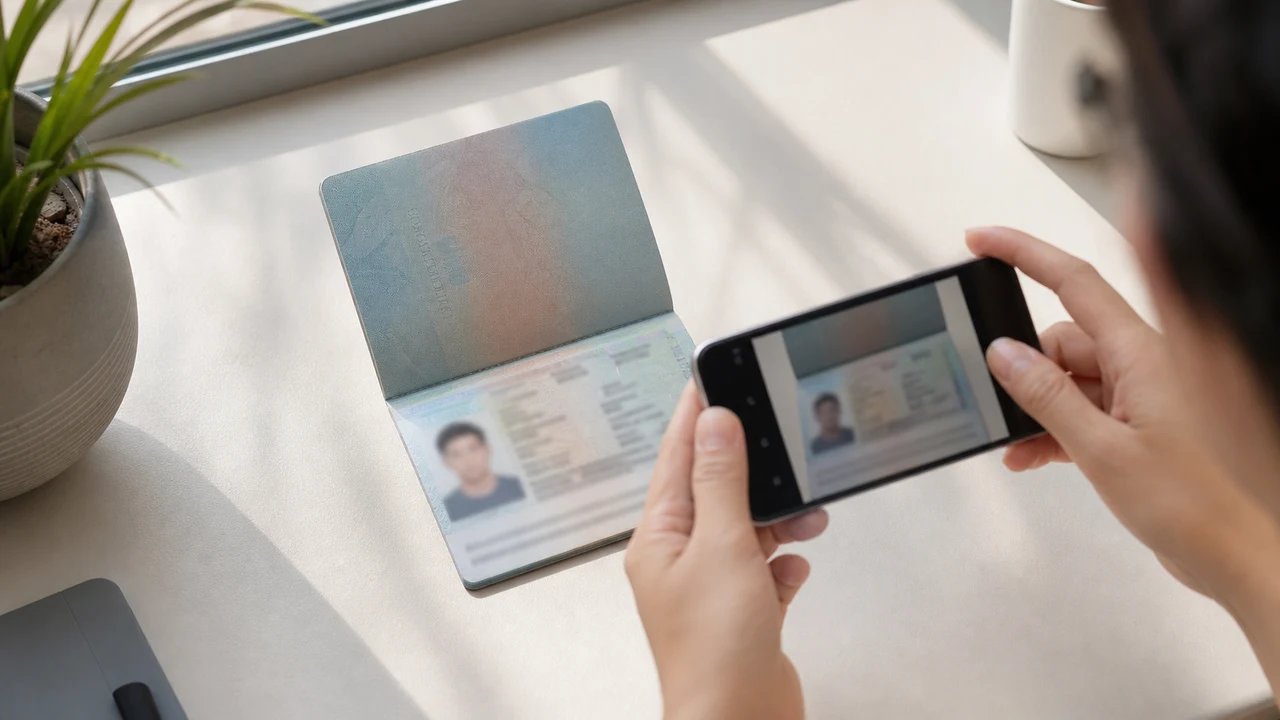
Die wichtigsten Fotoanforderungen auf einen Blick
- Das Portal verlangt ein neues Portrait und ein Bild der Passdatenseite als getrennte Uploads.
- Antragsteller berichten über Ablehnungen von Passfoto-Zuschnitten und Nacharbeit nach doppelten Dateien; daraus folgt keine veröffentlichte offizielle Regel.
- Bereiten Sie ein neues Portrait für das Portraitfeld und das Passbild für das Passfeld vor.
- Prüfen Sie vor dem Upload, ob jede Datei zum richtigen Feld gehört und die veröffentlichten Portrait-Hinweise erfüllt.
Warum ein Passfoto-Zuschnitt als „Incorrect Portrait Photo“ gemeldet werden kann
Across applicant reports, people have described taking the face area from a passport Data Page image and using that crop as the portrait upload. Some reports describe an “incorrect portrait photo” rejection, while others describe rework or longer processing after the same image was selected for both upload fields.
These are observations reported by applicants, not a published official prohibition. The official portal instructions describe the portrait and passport Data Page as separate uploads; they do not state that a passport photo crop is prohibited.
Die beiden Upload-Felder getrennt halten
The official user manual shows a portrait upload and a passport Data Page upload as separate steps. It also shows automatic validation, personal-data extraction, and a submission block when an image is invalid.
That official flow explains why the two fields should be treated as different files. It does not publish the exact rule that produces an “incorrect portrait photo” message or any processing-time threshold.
Die beiden Dateien richtig vorbereiten
- Take a new portrait for the portrait field instead of cropping the face from the passport Data Page image.
- Use the published portrait instructions: 4 × 6 cm, JPG / JPEG, under 2 MB, white background, straight face, no hat, no glasses, and formal clothes.
- Use the passport Data Page image only in the passport upload field, keeping the page clear and its corners visible.
- Before selecting each file, check the preview or filename so the portrait and passport images are not swapped.
- If the portal reports an incorrect portrait, prepare a fresh portrait and keep the two upload fields separate rather than duplicating one file.
Veröffentlichte Portrait-Anforderungen des offiziellen Portals
- The official portal lists a newly taken 4 × 6 cm portrait in JPG / JPEG, under 2 MB, with a white background, a straight face, no hat, no glasses, and formal clothes.
- The portal also asks for a clear passport Data Page image. Keep that image complete and readable; do not treat its face area as the portrait file.
- The official instructions do not publish a pixel similarity score, crop ratio, or other numeric boundary for deciding whether a portrait is accepted.
Was ein Bericht über ein falsches Portrait aussagt und was nicht
An applicant report can tell you that this combination of files was rejected or required another attempt. It cannot establish that the portal has a universal “passport crop” rule, nor can it reveal the exact automated check behind the message.
Use the report as a reason to separate the files and follow the published portrait instructions, not as evidence of an unpublished government requirement.
Ein neues Portrait vorbereiten, ohne die Identität zu verändern
A face-photo workflow can help prepare a 4 × 6 cm portrait JPEG from a new capture. It does not decide whether the official portal will accept the file and cannot guarantee the portal’s validation result.
Keep the portrait truthful and use the passport Data Page image as the separate document upload. Do not digitally alter the face to imitate the passport image or to bypass the portal’s checks.
Weitere Vietnam-e-Visa-Upload-Anleitungen
For a broader file checklist, start with the guides below. They stay within the same official portal upload flow.
Foto im Browser erstellen
Erstellen Sie das Foto für Vietnam e-Visum direkt im Browser Ihres Smartphones oder Computers. Erstellen und Prüfen sind kostenlos.
Web-Tool öffnenWas dieses Tool erstellt
- das erforderliche Lichtbild (für digitalen Upload)
- die Passbildseite des Reisepasses (Datenseite) (für Dokument-Upload)
Auch als iPhone-App verfügbarApp Store öffnen
Hinweis zu offiziellen Quellen
Die Hinweise für Passbild und Passdatenseite folgen den Anweisungen des vietnamesischen nationalen elektronischen Visasystems. Die App bereitet Dateien vor; der Visaantrag selbst wird im offiziellen Portal evisa.gov.vn gestellt.
Fotobedingungen, die Probleme verursachen können
Nur wenige wiederkehrende Probleme können zu Dateirückgaben beim e-Visa führen. Diese Prüfungen reduzieren Uploadfehler, garantieren aber nicht, dass Ihr Foto oder Antrag angenommen wird.
-
Grauer oder gemusterter Hintergrund
Schatten, Farbe oder Struktur hinter dem Kopf führen häufig zur Ablehnung. Verwenden Sie eine einfarbig weiße oder sehr helle Wand und treten Sie näher heran, um den Schatten zu mildern.
-
Lichtreflexe auf der Brille oder verdeckte Augen
Reflexionen und Brillenbügel, die die Augen verdecken, sind ein Hauptgrund für die Ablehnung von Passfotos. Die Brille vor der Aufnahme abzunehmen ist die sicherste Wahl.
-
Unlesbare Passdatenseite
Wenn die MRZ-Zeilen, der Name oder die Passnummer unscharf oder durch Reflexe verdeckt sind, kann die Datei selbst bei korrektem Passfoto abgelehnt werden.
-
Datei zu groß oder falsches Format
Exportieren Sie ein JPG / JPEG unter der offiziellen 2 MB-Grenze. Eine PNG- oder zu große Datei kann beim Upload abgelehnt werden, selbst wenn das Bild korrekt aussieht.
-
Haare über den Augen oder geneigter Kopf
Haare über den Augenbrauen oder Augen und ein geneigter Kopf erschweren die Prüfung. Halten Sie den Kopf gerade und die Haare aus dem Gesicht.
Warum shoumei.org für Vietnam e-Visa Dateien
Exakter 4 × 6 cm / 2:3 Export
Die App gibt ein 1200 × 1800 px JPEG aus, das zum Hochformat des Vietnam e-Visa passt, und vermeidet so von vornherein den quadratischen Zuschnitt.
Unter 2 MB mit lesbaren Details
Sie komprimiert das JPEG unter die offizielle Dateigrößengrenze und erhält Gesichtsdetails und Passtext so gut lesbar wie das Ausgangsbild.
Hintergrund- und Gesichtsausrichtung
Eingebaute Hilfen zentrieren das Gesicht, sorgen für korrekte Ränder und prüfen den weißen Hintergrund vor dem Export.
Datenschutz auf dem Gerät
Die Bildverarbeitung bleibt auf Ihrem Gerät. Über shoumei.org wird kein Foto oder Passbild an einen Server übertragen.
shoumei.org ist ein unabhängiges Werkzeug zur Dateivorbereitung. Es ist nicht mit der vietnamesischen Regierung oder dem Portal evisa.gov.vn verbunden, und seine Nutzung garantiert nicht, dass Ihr Foto, Ihr Passbild oder Ihr Visumantrag angenommen oder genehmigt wird.
FAQ
Kann ich einen Zuschnitt meines Passfotos als Vietnam-e-Visa-Portrait verwenden?
Do not use the passport Data Page image as the portrait upload. The official portal treats the portrait and passport image as separate fields, while applicant reports describe passport-photo crops being rejected as an incorrect portrait; the reports are not an official prohibition.
Warum sollte ich nicht dieselbe Datei in beiden Vietnam-e-Visa-Feldern verwenden?
The two fields represent separate uploads in the official portal flow. Applicant reports describe duplicated or swapped files leading to rework or longer processing, but they do not establish a published official processing rule.
Was muss die Vietnam-e-Visa-Portraitdatei enthalten?
Use a newly taken 4 × 6 cm JPG / JPEG portrait under 2 MB, with a white background, a straight face, no hat, no glasses, and formal clothes. Upload the passport Data Page image separately.
Kann das Fototool garantieren, dass das Portal mein neues Portrait akzeptiert?
No. The tool can help prepare the portrait output, but the official portal performs its own validation and acceptance decision. Keep the two upload fields separate and confirm the latest portal instructions before submitting.
Offizielle Quellen
- Vietnam e-Visa — Official portal photo upload terms (evisa.gov.vn) Geprüft: 2026-08-14
- Vietnam e-Visa — Official user manual / application instructions Geprüft: 2026-08-14