वियतनाम e-Visa फ़ाइल तैयारी
Vietnam e-Visa: पासपोर्ट फ़ोटो crop के बाद Incorrect Portrait Photo
Vietnam e-Visa portal में हाल में ली गई portrait और passport Data Page image के लिए अलग-अलग upload fields हैं। Applicants ने report किया है कि passport image से face crop को portrait field में लगाने पर “incorrect portrait photo” rejection मिला, या दोनों fields में एक ही image लगाने पर rework या processing लंबी हुई; ये reports official prohibition नहीं हैं।
जाँचा गया: 2026-08-14
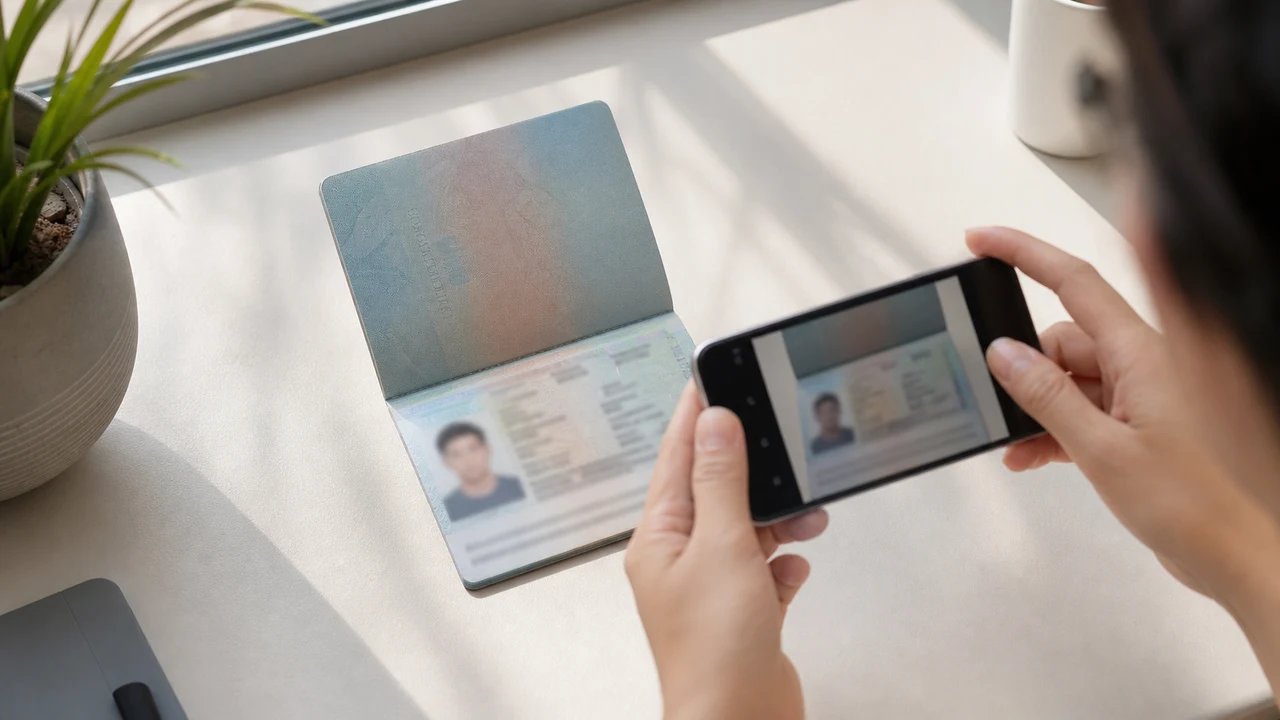
सबसे पहले जाँचने योग्य फ़ोटो शर्तें
- Portal नई portrait और passport Data Page image को अलग uploads के रूप में मांगता है।
- Applicants ने passport-photo crops के rejection और duplicate files के बाद rework की reports दी हैं; ये published official rules नहीं हैं।
- Portrait field के लिए नई portrait और passport field के लिए passport Data Page image तैयार करें।
- Upload से पहले जाँचें कि हर file सही field के लिए है और published portrait instructions का पालन करती है।
Passport photo crop को “Incorrect Portrait Photo” क्यों बताया जा सकता है
Across applicant reports, people have described taking the face area from a passport Data Page image and using that crop as the portrait upload. Some reports describe an “incorrect portrait photo” rejection, while others describe rework or longer processing after the same image was selected for both upload fields.
These are observations reported by applicants, not a published official prohibition. The official portal instructions describe the portrait and passport Data Page as separate uploads; they do not state that a passport photo crop is prohibited.
दोनों upload fields को अलग रखें
The official user manual shows a portrait upload and a passport Data Page upload as separate steps. It also shows automatic validation, personal-data extraction, and a submission block when an image is invalid.
That official flow explains why the two fields should be treated as different files. It does not publish the exact rule that produces an “incorrect portrait photo” message or any processing-time threshold.
दोनों files सही तरह तैयार करें
- Take a new portrait for the portrait field instead of cropping the face from the passport Data Page image.
- Use the published portrait instructions: 4 × 6 cm, JPG / JPEG, under 2 MB, white background, straight face, no hat, no glasses, and formal clothes.
- Use the passport Data Page image only in the passport upload field, keeping the page clear and its corners visible.
- Before selecting each file, check the preview or filename so the portrait and passport images are not swapped.
- If the portal reports an incorrect portrait, prepare a fresh portrait and keep the two upload fields separate rather than duplicating one file.
Official portal की प्रकाशित portrait requirements
- The official portal lists a newly taken 4 × 6 cm portrait in JPG / JPEG, under 2 MB, with a white background, a straight face, no hat, no glasses, and formal clothes.
- The portal also asks for a clear passport Data Page image. Keep that image complete and readable; do not treat its face area as the portrait file.
- The official instructions do not publish a pixel similarity score, crop ratio, or other numeric boundary for deciding whether a portrait is accepted.
Incorrect-portrait report क्या बताती है और क्या नहीं
An applicant report can tell you that this combination of files was rejected or required another attempt. It cannot establish that the portal has a universal “passport crop” rule, nor can it reveal the exact automated check behind the message.
Use the report as a reason to separate the files and follow the published portrait instructions, not as evidence of an unpublished government requirement.
Identity बदले बिना नई portrait तैयार करें
A face-photo workflow can help prepare a 4 × 6 cm portrait JPEG from a new capture. It does not decide whether the official portal will accept the file and cannot guarantee the portal’s validation result.
Keep the portrait truthful and use the passport Data Page image as the separate document upload. Do not digitally alter the face to imitate the passport image or to bypass the portal’s checks.
Vietnam e-Visa के संबंधित upload guides
For a broader file checklist, start with the guides below. They stay within the same official portal upload flow.
ब्राउज़र में अपनी फ़ोटो बनाएँ
वियतनाम ई-वीज़ा के लिए फ़ोटो सीधे अपने फ़ोन या कंप्यूटर के ब्राउज़र में तैयार करें। बनाना और जाँचना निःशुल्क है।
वेब टूल खोलेंयह टूल क्या बनाता है
- आवश्यक फ़ेस फ़ोटो (डिजिटल अपलोड के लिए)
- पासपोर्ट का बायोग्राफ़िकल डेटा पेज (फ़ोटो पेज) (दस्तावेज़ अपलोड के लिए)
iPhone ऐप के रूप में भी उपलब्धApp Store खोलें
आधिकारिक-स्रोत नोट
पोर्ट्रेट फोटो और पासपोर्ट डेटा पेज छवि वियतनाम राष्ट्रीय इलेक्ट्रॉनिक वीज़ा सिस्टम के निर्देशों के अनुसार तैयार होती है। ऐप फ़ाइलें तैयार करता है; वीज़ा आवेदन स्वयं आधिकारिक evisa.gov.vn पोर्टल पर जमा किया जाता है।
फ़ोटो की वे शर्तें जो समस्या बन सकती हैं
कुछ ही बार-बार होने वाली समस्याएँ e-Visa फ़ाइल अस्वीकृति का कारण बन सकती हैं। ये जाँचें अपलोड संबंधी गलतियाँ कम करती हैं, लेकिन यह गारंटी नहीं देतीं कि आपकी फ़ोटो या आवेदन स्वीकार किया जाएगा।
-
ग्रे या पैटर्न वाली पृष्ठभूमि
सिर के पीछे छाया, रंग या बनावट अक्सर अस्वीकृति का कारण बनते हैं। सादे सफ़ेद या बहुत हल्के रंग की दीवार का उपयोग करें और छाया को कम करने के लिए थोड़ा आगे बढ़ें।
-
चश्मे पर चमक या आँखें ढकी हुई
चश्मे के परावर्तन और फ़्रेम जो आँखों को ढकते हैं, वे चेहरे की फ़ोटो अस्वीकृति का प्रमुख कारण हैं। शूटिंग से पहले चश्मा उतारना सबसे सुरक्षित विकल्प है।
-
पासपोर्ट डेटा पेज पढ़ने योग्य नहीं
यदि MRZ लाइनें, नाम या पासपोर्ट नंबर धुंधले या चमक से ढके हैं, तो चेहरे की फ़ोटो ठीक होने पर भी फ़ाइल अस्वीकृत हो सकती है।
-
फ़ाइल बहुत बड़ी या गलत प्रारूप
आधिकारिक 2 MB सीमा से कम का JPG / JPEG निर्यात करें। PNG या बहुत बड़ी फ़ाइल अपलोड पर अस्वीकृत हो सकती है, भले ही छवि सही दिखे।
-
आँखों पर बाल या झुका हुआ सिर
भौहों या आँखों पर बाल और झुका हुआ चेहरा जाँच को कठिन बनाते हैं। सिर सीधा रखें और बाल चेहरे से दूर रखें।
Vietnam e-Visa फ़ाइलों के लिए इस ऐप का उपयोग क्यों करें
सटीक 4 × 6 cm / 2:3 निर्यात
ऐप 1200 × 1800 px JPEG निर्यात करता है जो Vietnam e-Visa पोर्ट्रेट अनुपात से मेल खाता है, जिससे शुरू से ही वर्गाकार-क्रॉप की समस्या टल जाती है।
2 MB से कम, पढ़ने योग्य विवरण के साथ
यह JPEG को आधिकारिक फ़ाइल-आकार सीमा से नीचे संकुचित करता है और स्रोत छवि की अनुमति तक चेहरे का विवरण व पासपोर्ट पाठ पढ़ने योग्य रखता है।
पृष्ठभूमि और चेहरा संरेखण गाइड
अंतर्निर्मित गाइड चेहरे को केंद्र में रखने, सही मार्जिन छोड़ने और निर्यात से पहले सफ़ेद पृष्ठभूमि जाँचने में मदद करते हैं।
डिवाइस पर गोपनीयता
छवि प्रसंस्करण आपके डिवाइस पर होता है। इस ऐप के ज़रिए कोई भी फ़ोटो या पासपोर्ट छवि सर्वर पर अपलोड नहीं की जाती।
shoumei.org एक स्वतंत्र फ़ाइल तैयारी उपकरण है। यह वियतनाम सरकार या evisa.gov.vn पोर्टल से संबद्ध नहीं है, और इसका उपयोग यह गारंटी नहीं देता कि आपकी फ़ोटो, पासपोर्ट छवि या वीज़ा आवेदन स्वीकार या स्वीकृत किया जाएगा।
अक्सर पूछे जाने वाले प्रश्न
क्या Vietnam e-Visa portrait के लिए passport photo का crop इस्तेमाल कर सकते हैं?
Do not use the passport Data Page image as the portrait upload. The official portal treats the portrait and passport image as separate fields, while applicant reports describe passport-photo crops being rejected as an incorrect portrait; the reports are not an official prohibition.
Vietnam e-Visa के दोनों upload fields में एक ही image से क्यों बचें?
The two fields represent separate uploads in the official portal flow. Applicant reports describe duplicated or swapped files leading to rework or longer processing, but they do not establish a published official processing rule.
Vietnam e-Visa portrait file में क्या होना चाहिए?
Use a newly taken 4 × 6 cm JPG / JPEG portrait under 2 MB, with a white background, a straight face, no hat, no glasses, and formal clothes. Upload the passport Data Page image separately.
क्या photo tool portal द्वारा नई portrait स्वीकार होने की guarantee दे सकता है?
No. The tool can help prepare the portrait output, but the official portal performs its own validation and acceptance decision. Keep the two upload fields separate and confirm the latest portal instructions before submitting.
आधिकारिक स्रोत
- Vietnam e-Visa — Official portal photo upload terms (evisa.gov.vn) जाँचा गया: 2026-08-14
- Vietnam e-Visa — Official user manual / application instructions जाँचा गया: 2026-08-14