Vietnam e-Vizesi dosya hazırlama
Vietnam e-Visa: Pasaport fotoğrafı kırpıldıktan sonra Incorrect Portrait Photo
Vietnam e-Visa portalı, yeni çekilmiş portreyi ve pasaport veri sayfası görüntüsünü iki ayrı yükleme alanında ister. Başvuru sahipleri, pasaport görüntüsünden kırpılan yüzün portre alanında “incorrect portrait photo” olarak reddedildiğini veya aynı görüntünün iki alanda kullanılmasının yeniden işlem ve daha uzun süreye yol açtığını bildirmiştir; bu bildirimler resmi bir yasak değildir.
Kontrol edildi: 2026-08-14
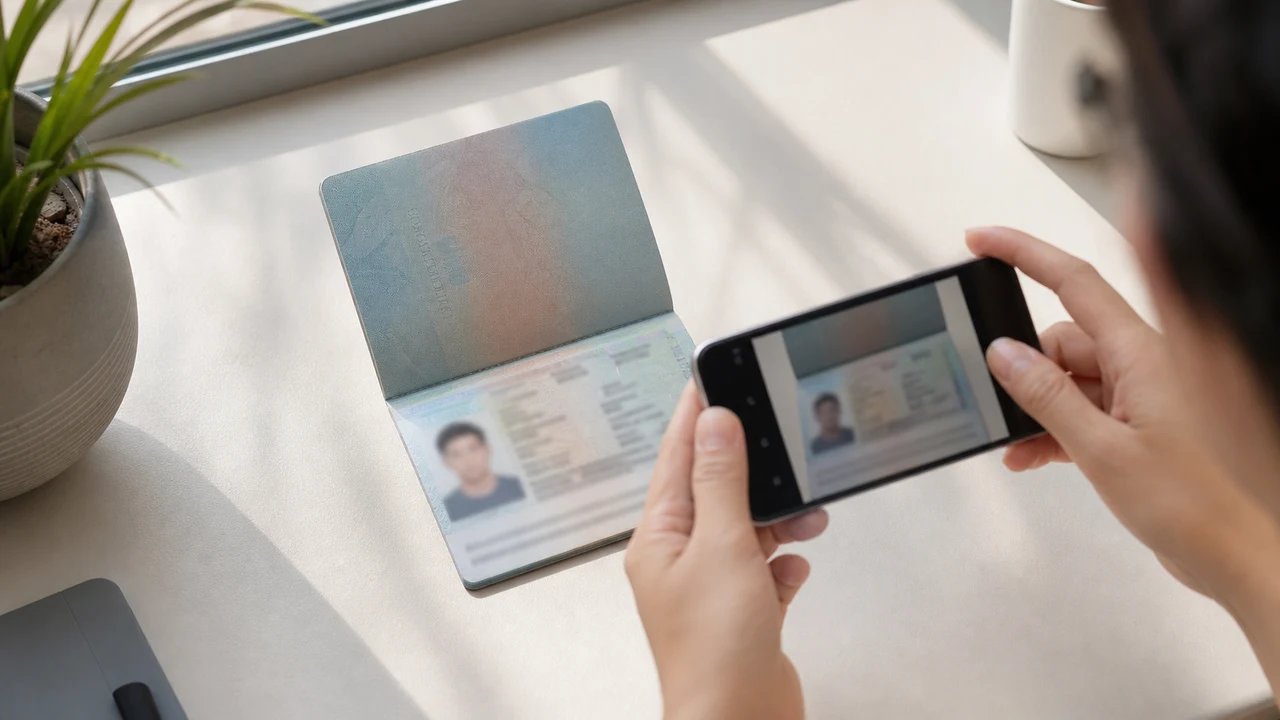
Önce kontrol edilmesi gereken fotoğraf koşulları
- Portal yeni çekilmiş portre ile pasaport veri sayfası görüntüsünü ayrı yüklemeler olarak ister.
- Başvuru sahibi bildirimlerinde pasaport fotoğrafı kırpıntılarının reddedilmesi ve yinelenen dosyalardan sonra yeniden işlem görülür; bunlar yayımlanmış resmi kurallar değildir.
- Portre alanı için yeni bir portre, pasaport alanı için pasaport veri sayfası görüntüsü hazırlayın.
- Yüklemeden önce her dosyanın doğru alana ait olduğunu ve yayımlanmış portre talimatlarını karşıladığını kontrol edin.
Pasaport fotoğrafı kırpıntısı neden “Incorrect Portrait Photo” olarak bildirilebilir
Across applicant reports, people have described taking the face area from a passport Data Page image and using that crop as the portrait upload. Some reports describe an “incorrect portrait photo” rejection, while others describe rework or longer processing after the same image was selected for both upload fields.
These are observations reported by applicants, not a published official prohibition. The official portal instructions describe the portrait and passport Data Page as separate uploads; they do not state that a passport photo crop is prohibited.
İki yükleme alanını ayrı tutun
The official user manual shows a portrait upload and a passport Data Page upload as separate steps. It also shows automatic validation, personal-data extraction, and a submission block when an image is invalid.
That official flow explains why the two fields should be treated as different files. It does not publish the exact rule that produces an “incorrect portrait photo” message or any processing-time threshold.
İki dosyayı doğru hazırlayın
- Take a new portrait for the portrait field instead of cropping the face from the passport Data Page image.
- Use the published portrait instructions: 4 × 6 cm, JPG / JPEG, under 2 MB, white background, straight face, no hat, no glasses, and formal clothes.
- Use the passport Data Page image only in the passport upload field, keeping the page clear and its corners visible.
- Before selecting each file, check the preview or filename so the portrait and passport images are not swapped.
- If the portal reports an incorrect portrait, prepare a fresh portrait and keep the two upload fields separate rather than duplicating one file.
Resmi portalın yayımladığı portre gereksinimleri
- The official portal lists a newly taken 4 × 6 cm portrait in JPG / JPEG, under 2 MB, with a white background, a straight face, no hat, no glasses, and formal clothes.
- The portal also asks for a clear passport Data Page image. Keep that image complete and readable; do not treat its face area as the portrait file.
- The official instructions do not publish a pixel similarity score, crop ratio, or other numeric boundary for deciding whether a portrait is accepted.
Yanlış portre bildiriminin gösterdiği ve göstermediği şeyler
An applicant report can tell you that this combination of files was rejected or required another attempt. It cannot establish that the portal has a universal “passport crop” rule, nor can it reveal the exact automated check behind the message.
Use the report as a reason to separate the files and follow the published portrait instructions, not as evidence of an unpublished government requirement.
Kimliğinizi değiştirmeden yeni bir portre hazırlayın
A face-photo workflow can help prepare a 4 × 6 cm portrait JPEG from a new capture. It does not decide whether the official portal will accept the file and cannot guarantee the portal’s validation result.
Keep the portrait truthful and use the passport Data Page image as the separate document upload. Do not digitally alter the face to imitate the passport image or to bypass the portal’s checks.
İlgili Vietnam e-Visa yükleme rehberleri
For a broader file checklist, start with the guides below. They stay within the same official portal upload flow.
Fotoğrafınızı tarayıcıda oluşturun
Vietnam eVize için fotoğrafınızı doğrudan telefonunuzun veya bilgisayarınızın tarayıcısında hazırlayın. Oluşturma ve inceleme ücretsizdir.
Web aracını açBu araç ne oluşturur
- gerekli yüz fotoğrafı (dijital yükleme için)
- pasaport biyografik veri sayfası (fotoğraf sayfası) (belge yükleme için)
iPhone uygulaması olarak da mevcutApp Store’u aç
Resmî kaynak notu
Vesikalık fotoğraf ve pasaport veri sayfası görüntüsü, Vietnam Ulusal Elektronik Vize sisteminin talimatlarına göre hazırlanır. Uygulama dosyaları hazırlar; vize başvurusunun kendisi resmî evisa.gov.vn portalında yapılır.
Sorun yaratabilecek fotoğraf koşulları
Tekrarlanan birkaç sorun e-Visa dosya iadelerine yol açabilir. Bu kontroller yükleme hatalarını azaltır, ancak fotoğrafınızın veya başvurunuzun kabul edileceğini garanti etmez.
-
Gri veya desenli arka plan
Başın arkasındaki gölgeler, renkler veya dokular genellikle red sebebidir. Düz beyaz veya çok açık bir duvar kullanın ve gölgeyi yumuşatmak için öne geçin.
-
Gözlük parlaması veya gözlerin kapalı olması
Parlamalar ve gözleri kapatan çerçeveler, yüz fotoğrafı reddinin başlıca nedenleridir. Çekimden önce gözlüğü çıkarmak en güvenli seçenektir.
-
Okunamaz pasaport veri sayfası
MRZ satırları, ad veya pasaport numarası bulanıksa veya parlamalarla kaplıysa, yüz fotoğrafı düzgün olsa bile dosya reddedilebilir.
-
Dosya çok büyük veya yanlış biçim
Resmi 2 MB sınırının altında bir JPG / JPEG dışa aktarın. Görüntü doğru görünse bile PNG veya aşırı büyük dosya yüklemede reddedilebilir.
-
Gözlerde saç veya eğik baş
Kaşları veya gözleri örten saçlar ve eğik baş doğrulamayı zorlaştırır. Başınızı dik tutun ve saçlarınız yüzünüzü örtmesin.
Vietnam e-Visa dosyaları için shoumei.org neden kullanılır
Tam 4 × 6 cm / 2:3 dışa aktarım
Uygulama, Vietnam e-Visa dikey oranına uyan 1200 × 1800 px JPEG dışa aktarır ve böylece baştan kare kırpım sorununu önler.
Okunabilir detayla 2 MB altında
JPEG'i resmi dosya boyutu sınırının altında sıkıştırırken yüz detaylarını ve pasaport metnini kaynak görüntünün izin verdiği ölçüde okunabilir tutar.
Arka plan ve yüz hizalama rehberleri
Yerleşik rehberler yüzü ortalar, doğru kenar boşlukları bırakır ve dışa aktarmadan önce beyaz arka planı kontrol eder.
Cihaz üzerinde gizlilik
Görüntü işleme cihazınızda kalır. shoumei.org üzerinden hiçbir fotoğraf veya pasaport görüntüsü sunucuya yüklenmez.
shoumei.org bağımsız bir dosya hazırlama aracıdır. Vietnam hükümeti veya evisa.gov.vn portalı ile bağlantılı değildir ve kullanılması fotoğrafınızın, pasaport görüntünüzün veya vize başvurunuzun kabul veya onay göreceğini garanti etmez.
SSS
Vietnam e-Visa portresi olarak pasaport fotoğrafımın kırpıntısını kullanabilir miyim?
Do not use the passport Data Page image as the portrait upload. The official portal treats the portrait and passport image as separate fields, while applicant reports describe passport-photo crops being rejected as an incorrect portrait; the reports are not an official prohibition.
Vietnam e-Visa’nın iki yükleme alanında aynı görüntüden neden kaçınmalıyım?
The two fields represent separate uploads in the official portal flow. Applicant reports describe duplicated or swapped files leading to rework or longer processing, but they do not establish a published official processing rule.
Vietnam e-Visa portre dosyasında ne bulunmalıdır?
Use a newly taken 4 × 6 cm JPG / JPEG portrait under 2 MB, with a white background, a straight face, no hat, no glasses, and formal clothes. Upload the passport Data Page image separately.
Fotoğraf aracı portalın yeni portremi kabul edeceğini garanti edebilir mi?
No. The tool can help prepare the portrait output, but the official portal performs its own validation and acceptance decision. Keep the two upload fields separate and confirm the latest portal instructions before submitting.
Resmî kaynaklar
- Vietnam e-Visa — Official portal photo upload terms (evisa.gov.vn) Kontrol edildi: 2026-08-14
- Vietnam e-Visa — Official user manual / application instructions Kontrol edildi: 2026-08-14