越南電子簽證檔案準備
Vietnam e-Visa:裁剪護照相片後出現 Incorrect Portrait Photo
Vietnam e-Visa 入口網站要求將新拍的人像相片和護照資料頁圖像分別上傳到兩個欄位。申請人報告稱,把護照圖像中的臉部裁剪後放入人像欄可能出現「incorrect portrait photo」拒絕,或在兩個欄位使用同一圖像後需要重做、處理時間更長;這些報告不是官方禁令。
已確認: 2026-08-14
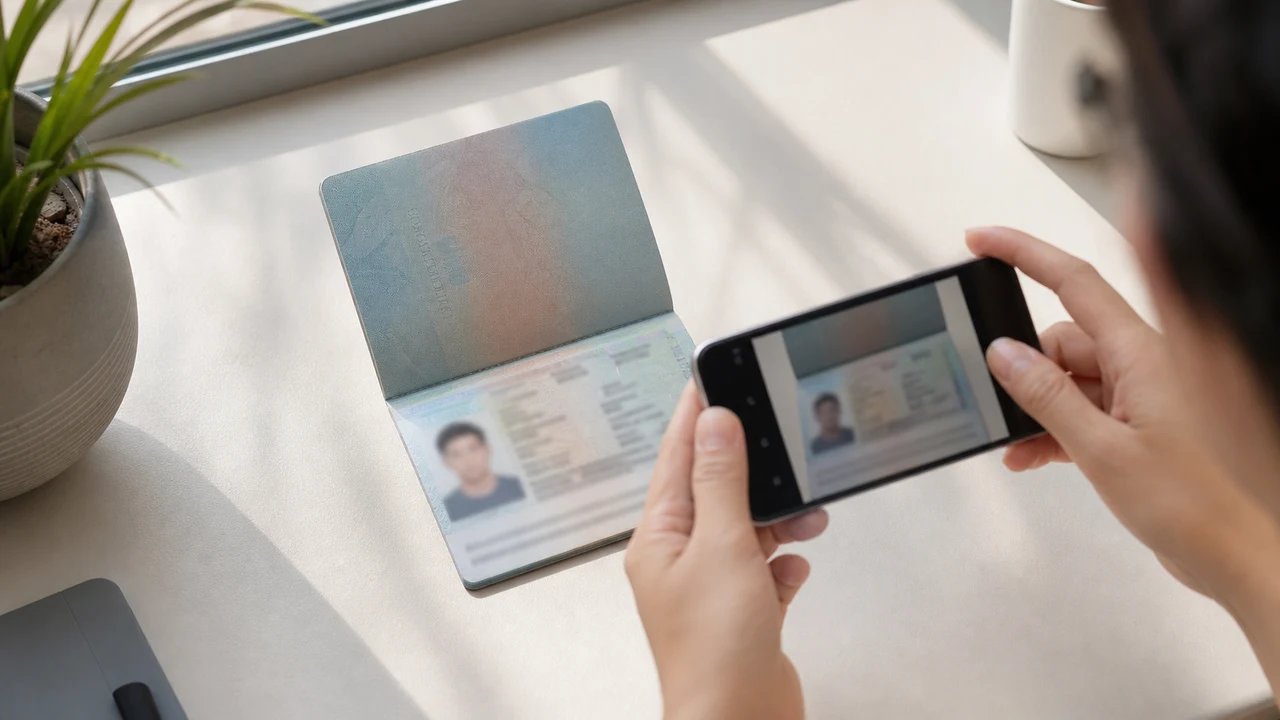
首先需要確認的照片條件
- 入口網站要求新拍的人像相片和護照資料頁圖像分開上傳,兩個檔案不可互換。
- 申請人報告提到護照相片裁剪圖被拒以及重複檔案後需要重做,但這不是已公布的官方規則。
- 為人像欄準備新拍相片,並將護照資料頁圖像留在護照欄。
- 上傳前確認每個檔案屬於正確欄位,並符合已公布的人像相片說明。
為何護照相片裁剪圖可能被報告為「Incorrect Portrait Photo」
Across applicant reports, people have described taking the face area from a passport Data Page image and using that crop as the portrait upload. Some reports describe an “incorrect portrait photo” rejection, while others describe rework or longer processing after the same image was selected for both upload fields.
These are observations reported by applicants, not a published official prohibition. The official portal instructions describe the portrait and passport Data Page as separate uploads; they do not state that a passport photo crop is prohibited.
分開兩個上傳欄位
The official user manual shows a portrait upload and a passport Data Page upload as separate steps. It also shows automatic validation, personal-data extraction, and a submission block when an image is invalid.
That official flow explains why the two fields should be treated as different files. It does not publish the exact rule that produces an “incorrect portrait photo” message or any processing-time threshold.
正確準備兩個檔案
- Take a new portrait for the portrait field instead of cropping the face from the passport Data Page image.
- Use the published portrait instructions: 4 × 6 cm, JPG / JPEG, under 2 MB, white background, straight face, no hat, no glasses, and formal clothes.
- Use the passport Data Page image only in the passport upload field, keeping the page clear and its corners visible.
- Before selecting each file, check the preview or filename so the portrait and passport images are not swapped.
- If the portal reports an incorrect portrait, prepare a fresh portrait and keep the two upload fields separate rather than duplicating one file.
官方入口網站公布的人像相片要求
- The official portal lists a newly taken 4 × 6 cm portrait in JPG / JPEG, under 2 MB, with a white background, a straight face, no hat, no glasses, and formal clothes.
- The portal also asks for a clear passport Data Page image. Keep that image complete and readable; do not treat its face area as the portrait file.
- The official instructions do not publish a pixel similarity score, crop ratio, or other numeric boundary for deciding whether a portrait is accepted.
錯誤人像報告說明了什麼、沒有說明什麼
An applicant report can tell you that this combination of files was rejected or required another attempt. It cannot establish that the portal has a universal “passport crop” rule, nor can it reveal the exact automated check behind the message.
Use the report as a reason to separate the files and follow the published portrait instructions, not as evidence of an unpublished government requirement.
在不改變身分的情況下準備新的人像相片
A face-photo workflow can help prepare a 4 × 6 cm portrait JPEG from a new capture. It does not decide whether the official portal will accept the file and cannot guarantee the portal’s validation result.
Keep the portrait truthful and use the passport Data Page image as the separate document upload. Do not digitally alter the face to imitate the passport image or to bypass the portal’s checks.
相關 Vietnam e-Visa 上傳指南
For a broader file checklist, start with the guides below. They stay within the same official portal upload flow.
此工具可製作的內容
- 所需的證件照 (用於數位上傳)
- 護照資料頁(照片頁) (用於文件上傳)
也可以用 iPhone 應用程式製作開啟 App Store
關於官方來源
人像照片與護照資料頁圖片的準備,依據越南電子簽證官方系統的說明。本 App 僅協助您準備提交所需檔案,簽證申請本身仍須在官方入口 evisa.gov.vn 提交。
照片中容易出問題的條件
少數幾個反覆出現的問題可能導致電子簽證檔案被退回。完成這些檢查能減少上傳問題,但不保證您的照片或申請一定會被受理。
-
背景偏灰或有花紋
頭部後方的陰影、顏色或紋理常導致退回。請使用純白或非常淺的牆面,並稍向前站以柔化陰影。
-
眼鏡反光或遮擋眼睛
眼鏡反光與鏡框遮擋眼睛是人像照片被退回的主要原因。拍攝前摘下眼鏡是最穩妥的做法。
-
護照資料頁無法辨認
如果機讀區(MRZ)、姓名或護照號模糊或被反光遮蔽,即便人像照片合格,檔案仍可能被退回。
-
檔案過大或格式不符
請匯出符合官方 2 MB 上限的 JPG / JPEG。PNG 或超尺寸檔案即使畫面正確,也可能在上傳時被拒。
-
頭髮遮眼或頭部傾斜
頭髮遮住眉毛或眼睛、以及頭部傾斜都會讓照片難以核驗。請保持頭部端正,頭髮不遮臉。
為什麼用本 App 準備越南電子簽證檔案
精確的 4 × 6 cm / 2:3 匯出
App 輸出 1200 × 1800 px 的 JPEG,符合越南電子簽證直式比例,從一開始就避免正方形裁切的問題。
低於 2 MB 且保持清晰
在官方檔案大小上限以下壓縮 JPEG,同時在原圖允許範圍內儘量保留人臉細節與護照文字的可讀性。
背景與人臉對齊指引
內建指引幫助您將人臉置中、留出正確邊距,並在匯出前檢查白色背景。
裝置端隱私
影像處理在您的裝置上完成。本 App 不會將任何照片或護照影像上傳到伺服器。
本 App 是獨立的檔案準備工具,與越南政府或 evisa.gov.vn 官網無關,使用它不保證您的照片、護照影像或簽證申請會被受理或核准。
常見問題
可以把護照相片裁剪圖用作 Vietnam e-Visa 人像相片嗎?
Do not use the passport Data Page image as the portrait upload. The official portal treats the portrait and passport image as separate fields, while applicant reports describe passport-photo crops being rejected as an incorrect portrait; the reports are not an official prohibition.
為什麼應避免在 Vietnam e-Visa 兩個上傳欄位使用同一圖像?
The two fields represent separate uploads in the official portal flow. Applicant reports describe duplicated or swapped files leading to rework or longer processing, but they do not establish a published official processing rule.
Vietnam e-Visa 人像檔案應包含什麼?
Use a newly taken 4 × 6 cm JPG / JPEG portrait under 2 MB, with a white background, a straight face, no hat, no glasses, and formal clothes. Upload the passport Data Page image separately.
相片工具能保證入口網站接受我的新相片嗎?
No. The tool can help prepare the portrait output, but the official portal performs its own validation and acceptance decision. Keep the two upload fields separate and confirm the latest portal instructions before submitting.
官方來源
- Vietnam e-Visa — Official portal photo upload terms (evisa.gov.vn) 已確認: 2026-08-14
- Vietnam e-Visa — Official user manual / application instructions 已確認: 2026-08-14