Підготовка файлів для в’єтнамської e-Visa
Vietnam e-Visa: Incorrect Portrait Photo після обрізання фото з паспорта
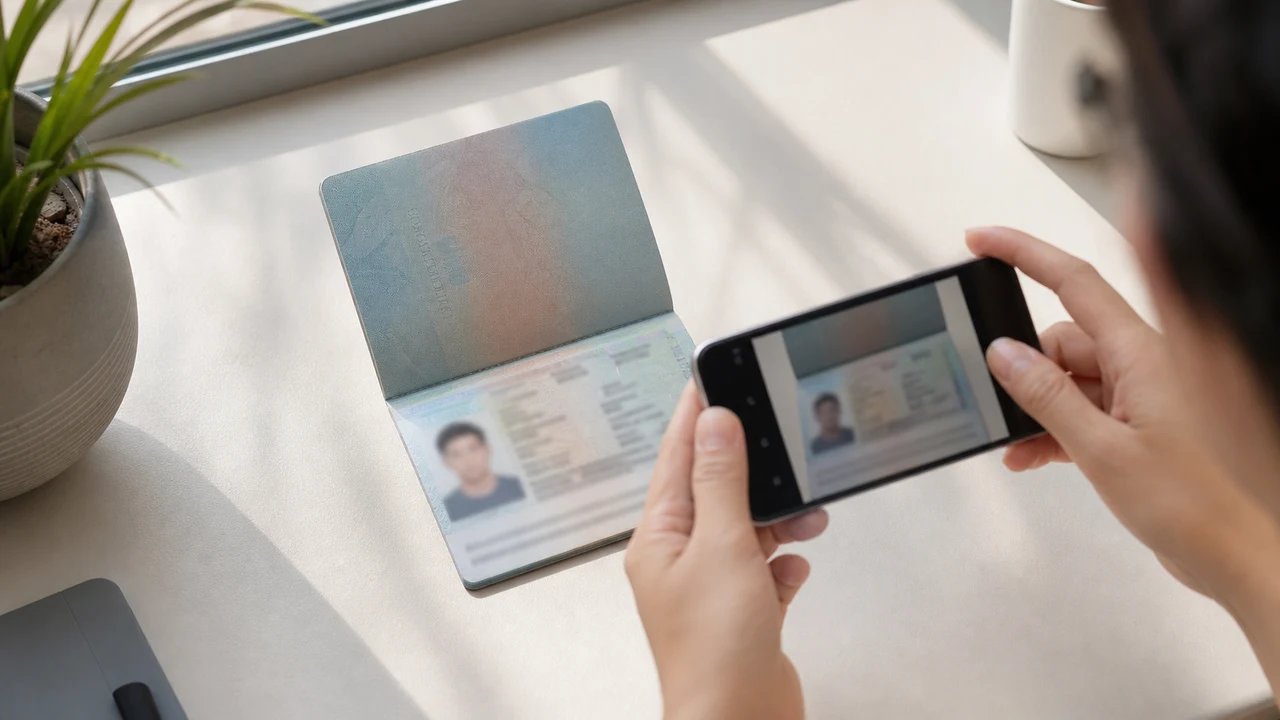
Портал Vietnam e-Visa просить окремо завантажити новий портрет і зображення сторінки даних паспорта. Заявники повідомляють, що обрізане обличчя з паспорта в полі портрета відхиляли з повідомленням «incorrect portrait photo», а однакове зображення в обох полях призводило до повторної роботи або довшої обробки; це не офіційна заборона.
Перевірено: 2026-08-14
Умови до фото, які варто перевірити насамперед
- Портал просить новий портрет і зображення сторінки даних паспорта як два окремі завантаження.
- У повідомленнях заявників є відмови для обрізаних фото з паспорта та повторна робота після дублювання файлу; це не опубліковані офіційні правила.
- Підготуйте новий портрет для поля портрета, а зображення паспорта залиште для поля паспорта.
- Перед завантаженням перевірте, що кожен файл відповідає правильному полю та опублікованим інструкціям для портрета.
Чому обрізане фото з паспорта можуть назвати «Incorrect Portrait Photo»
Across applicant reports, people have described taking the face area from a passport Data Page image and using that crop as the portrait upload. Some reports describe an “incorrect portrait photo” rejection, while others describe rework or longer processing after the same image was selected for both upload fields.
These are observations reported by applicants, not a published official prohibition. The official portal instructions describe the portrait and passport Data Page as separate uploads; they do not state that a passport photo crop is prohibited.
Розділяйте два поля завантаження
The official user manual shows a portrait upload and a passport Data Page upload as separate steps. It also shows automatic validation, personal-data extraction, and a submission block when an image is invalid.
That official flow explains why the two fields should be treated as different files. It does not publish the exact rule that produces an “incorrect portrait photo” message or any processing-time threshold.
Правильно підготуйте обидва файли
- Take a new portrait for the portrait field instead of cropping the face from the passport Data Page image.
- Use the published portrait instructions: 4 × 6 cm, JPG / JPEG, under 2 MB, white background, straight face, no hat, no glasses, and formal clothes.
- Use the passport Data Page image only in the passport upload field, keeping the page clear and its corners visible.
- Before selecting each file, check the preview or filename so the portrait and passport images are not swapped.
- If the portal reports an incorrect portrait, prepare a fresh portrait and keep the two upload fields separate rather than duplicating one file.
Опубліковані вимоги до портрета на офіційному порталі
- The official portal lists a newly taken 4 × 6 cm portrait in JPG / JPEG, under 2 MB, with a white background, a straight face, no hat, no glasses, and formal clothes.
- The portal also asks for a clear passport Data Page image. Keep that image complete and readable; do not treat its face area as the portrait file.
- The official instructions do not publish a pixel similarity score, crop ratio, or other numeric boundary for deciding whether a portrait is accepted.
Що показує і чого не показує повідомлення про неправильний портрет
An applicant report can tell you that this combination of files was rejected or required another attempt. It cannot establish that the portal has a universal “passport crop” rule, nor can it reveal the exact automated check behind the message.
Use the report as a reason to separate the files and follow the published portrait instructions, not as evidence of an unpublished government requirement.
Підготуйте новий портрет без зміни особи
A face-photo workflow can help prepare a 4 × 6 cm portrait JPEG from a new capture. It does not decide whether the official portal will accept the file and cannot guarantee the portal’s validation result.
Keep the portrait truthful and use the passport Data Page image as the separate document upload. Do not digitally alter the face to imitate the passport image or to bypass the portal’s checks.
Пов’язані інструкції із завантаження Vietnam e-Visa
For a broader file checklist, start with the guides below. They stay within the same official portal upload flow.
Створіть фото у браузері
Підготуйте фото для Електронна віза Вʼєтнаму безпосередньо в браузері телефона або комп’ютера. Створення та перевірка безкоштовні.
Відкрити веб-інструментЩо створює цей інструмент
- необхідна фотографія обличчя (для цифрового завантаження)
- сторінка даних паспорта (сторінка з фото) (для завантаження документів)
Також доступно у застосунку для iPhoneВідкрити App Store
Примітка про офіційні джерела
Портретне фото та зображення основної сторінки паспорта готують за інструкціями В’єтнамської національної системи електронних віз. Додаток готує файли; саму візову заяву подають на офіційному порталі evisa.gov.vn.
Умови до фото, які можуть спричинити проблеми
Невеликий набір проблем, що повторюються, може призводити до повернень файлів e-Visa. Ці перевірки зменшують помилки завантаження, але не гарантують, що ваше фото чи заявку приймуть.
-
Сірий або візерунковий фон
Тіні, колір чи текстура за головою часто призводять до відмови. Використовуйте однотонну білу або дуже світлу стіну й станьте ближче, щоб пом'якшити тінь.
-
Відблиски на окулярах або приховані очі
Відблиски та оправи, що закривають очі — одна з головних причин відмови портретного фото. Зняти окуляри перед зйомкою — найбезпечніший вибір.
-
Нечитабельна сторінка даних паспорта
Якщо рядки MRZ, ім'я або номер паспорта розмиті або закриті відблисками, файл можуть не прийняти, навіть якщо фото обличчя коректне.
-
Файл завеликий або неправильний формат
Експортуйте JPG / JPEG у межах офіційного ліміту 2 МБ. PNG або завеликий файл можуть відхилити під час завантаження, навіть якщо зображення виглядає правильним.
-
Волосся на очах або нахилена голова
Волосся на бровах або очах і нахилена голова ускладнюють перевірку. Тримайте голову прямо й приберіть волосся від обличчя.
Навіщо використовувати цей додаток для файлів Vietnam e-Visa
Точний експорт 4 × 6 cm / 2:3
Додаток створює JPEG 1200 × 1800 px, що відповідає вертикальному співвідношенню e-Visa В'єтнаму, і дозволяє з самого початку уникнути квадратної кадри.
Менше 2 МБ із читабельними деталями
Він стискає JPEG нижче офіційного ліміту розміру, зберігаючи деталі обличчя й текст паспорта читабельними настільки, наскільки це дозволяє вихідне зображення.
Підказки щодо фону та вирівнювання обличчя
Вбудовані підказки допомагають відцентрувати обличчя, залишити правильні відступи та перевірити білий фон перед експортом.
Приватність на пристрої
Обробка зображення відбувається на вашому пристрої. Жодне фото чи зображення паспорта не завантажується на сервер через цей додаток.
shoumei.org — незалежний інструмент підготовки файлів. Він не пов'язаний із урядом В'єтнаму чи порталом evisa.gov.vn, а його використання не гарантує, що ваше фото, зображення паспорта чи заяву на візу приймуть або схвалять.
Поширені запитання
Чи можна використати обрізане фото з паспорта як портрет для Vietnam e-Visa?
Do not use the passport Data Page image as the portrait upload. The official portal treats the portrait and passport image as separate fields, while applicant reports describe passport-photo crops being rejected as an incorrect portrait; the reports are not an official prohibition.
Чому не слід використовувати одне зображення в обох полях Vietnam e-Visa?
The two fields represent separate uploads in the official portal flow. Applicant reports describe duplicated or swapped files leading to rework or longer processing, but they do not establish a published official processing rule.
Що має містити файл портрета Vietnam e-Visa?
Use a newly taken 4 × 6 cm JPG / JPEG portrait under 2 MB, with a white background, a straight face, no hat, no glasses, and formal clothes. Upload the passport Data Page image separately.
Чи може інструмент для фото гарантувати прийняття нового портрета порталом?
No. The tool can help prepare the portrait output, but the official portal performs its own validation and acceptance decision. Keep the two upload fields separate and confirm the latest portal instructions before submitting.
Офіційні джерела
- Vietnam e-Visa — Official portal photo upload terms (evisa.gov.vn) Перевірено: 2026-08-14
- Vietnam e-Visa — Official user manual / application instructions Перевірено: 2026-08-14