Przygotowanie plików Vietnam e-Visa
Vietnam e-Visa: Incorrect Portrait Photo po przycięciu zdjęcia paszportowego
Portal Vietnam e-Visa wymaga osobnego przesłania nowo wykonanego portretu i obrazu strony danych paszportu. Wnioskodawcy zgłaszają, że przycięcie twarzy z obrazu paszportu użyte w polu portretu zostało odrzucone jako „incorrect portrait photo”, a użycie tego samego obrazu w obu polach prowadziło do ponownej pracy lub dłuższego przetwarzania; nie są to oficjalne zakazy.
Sprawdzono: 2026-08-14
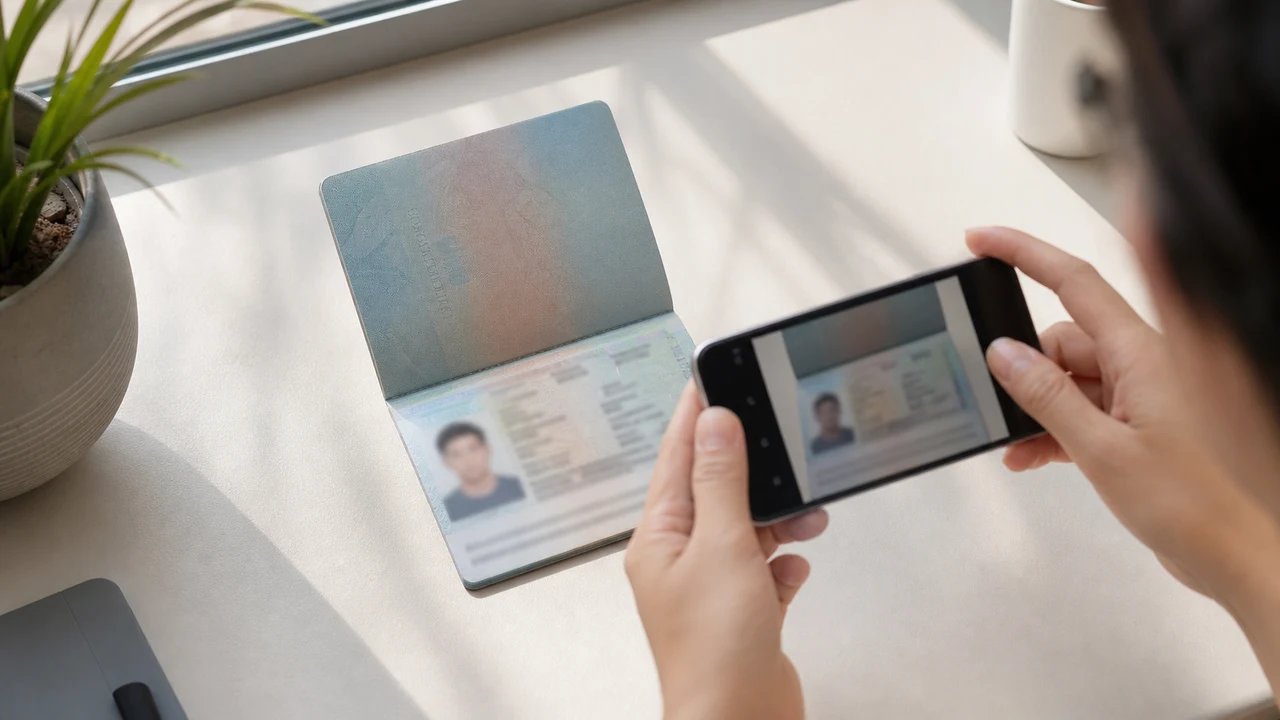
Warunki zdjęcia do sprawdzenia w pierwszej kolejności
- Portal wymaga nowego portretu i obrazu strony danych paszportu jako dwóch osobnych przesyłanych plików.
- Zgłoszenia wnioskodawców opisują odrzucenie przyciętych zdjęć paszportowych i ponowną pracę po powieleniu pliku; nie są to opublikowane zasady oficjalne.
- Przygotuj nowy portret do pola portretu, a obraz paszportu zostaw w polu paszportu.
- Przed przesłaniem sprawdź, czy każdy plik należy do właściwego pola i spełnia opublikowane instrukcje dotyczące portretu.
Dlaczego przycięte zdjęcie paszportowe może być zgłoszone jako „Incorrect Portrait Photo”
Across applicant reports, people have described taking the face area from a passport Data Page image and using that crop as the portrait upload. Some reports describe an “incorrect portrait photo” rejection, while others describe rework or longer processing after the same image was selected for both upload fields.
These are observations reported by applicants, not a published official prohibition. The official portal instructions describe the portrait and passport Data Page as separate uploads; they do not state that a passport photo crop is prohibited.
Rozdziel dwa pola przesyłania
The official user manual shows a portrait upload and a passport Data Page upload as separate steps. It also shows automatic validation, personal-data extraction, and a submission block when an image is invalid.
That official flow explains why the two fields should be treated as different files. It does not publish the exact rule that produces an “incorrect portrait photo” message or any processing-time threshold.
Przygotuj prawidłowo oba pliki
- Take a new portrait for the portrait field instead of cropping the face from the passport Data Page image.
- Use the published portrait instructions: 4 × 6 cm, JPG / JPEG, under 2 MB, white background, straight face, no hat, no glasses, and formal clothes.
- Use the passport Data Page image only in the passport upload field, keeping the page clear and its corners visible.
- Before selecting each file, check the preview or filename so the portrait and passport images are not swapped.
- If the portal reports an incorrect portrait, prepare a fresh portrait and keep the two upload fields separate rather than duplicating one file.
Opublikowane wymagania dotyczące portretu w oficjalnym portalu
- The official portal lists a newly taken 4 × 6 cm portrait in JPG / JPEG, under 2 MB, with a white background, a straight face, no hat, no glasses, and formal clothes.
- The portal also asks for a clear passport Data Page image. Keep that image complete and readable; do not treat its face area as the portrait file.
- The official instructions do not publish a pixel similarity score, crop ratio, or other numeric boundary for deciding whether a portrait is accepted.
Co pokazuje, a czego nie pokazuje zgłoszenie nieprawidłowego portretu
An applicant report can tell you that this combination of files was rejected or required another attempt. It cannot establish that the portal has a universal “passport crop” rule, nor can it reveal the exact automated check behind the message.
Use the report as a reason to separate the files and follow the published portrait instructions, not as evidence of an unpublished government requirement.
Przygotuj nowy portret bez zmieniania swojej tożsamości
A face-photo workflow can help prepare a 4 × 6 cm portrait JPEG from a new capture. It does not decide whether the official portal will accept the file and cannot guarantee the portal’s validation result.
Keep the portrait truthful and use the passport Data Page image as the separate document upload. Do not digitally alter the face to imitate the passport image or to bypass the portal’s checks.
Powiązane poradniki przesyłania Vietnam e-Visa
For a broader file checklist, start with the guides below. They stay within the same official portal upload flow.
Utwórz zdjęcie w przeglądarce
Przygotuj zdjęcie do eWiza Wietnam bezpośrednio w przeglądarce telefonu lub komputera. Tworzenie i sprawdzanie są bezpłatne.
Otwórz narzędzie onlineCo tworzy to narzędzie
- wymagane zdjęcie twarzy (do przesłania cyfrowego)
- strona z danymi paszportu (strona ze zdjęciem) (do przesłania dokumentu)
Dostępne też jako aplikacja na iPhoneOtwórz App Store
Uwaga o źródle oficjalnym
Zdjęcie portretowe i obraz strony danych paszportu powstają zgodnie z instrukcjami wietnamskiego krajowego systemu e-wiz. Aplikacja przygotowuje pliki; sam wniosek wizowy składa się na oficjalnym portalu evisa.gov.vn.
Warunki zdjęcia, które mogą sprawiać problemy
Niewiele powtarzających się problemów może prowadzić do odrzuceń plików e-Visa. Te sprawdzenia ograniczają błędy przy przesyłaniu, ale nie gwarantują przyjęcia zdjęcia lub wniosku.
-
Szare lub wzorzyste tło
Cienie, kolor lub faktura za głową często powodują odrzucenie. Użyj gładkiej białej lub bardzo jasnej ściany i stań bliżej, aby zmiękczyć cień.
-
Odbicia okularów lub zasłonięte oczy
Odbicia i oprawki zasłaniające oczy to jedna z głównych przyczyn odrzucenia zdjęcia twarzy. Zdjęcie okularów przed fotografią to najbezpieczniejszy wybór.
-
Nieczytelna strona danych paszportu
Jeśli wiersze MRZ, imię i nazwisko lub numer paszportu są rozmazane lub zasłonięte odbiciami, plik może zostać odrzucony, nawet jeśli zdjęcie twarzy jest poprawne.
-
Plik zbyt duży lub zły format
Eksportuj plik JPG / JPEG poniżej oficjalnego limitu 2 MB. PNG lub plik zbyt duży może zostać odrzucony przy przesyłaniu, nawet jeśli obraz wygląda poprawnie.
-
Włosy na oczach lub pochylona głowa
Włosy na brwiach lub oczach oraz pochylona głowa utrudniają weryfikację. Trzymaj głowę prosto i odsuń włosy z twarzy.
Dlaczego warto używać shoumei.org do plików Vietnam e-Visa
Dokładny eksport 4 × 6 cm / 2:3
Aplikacja eksportuje plik JPEG 1200 × 1800 px odpowiadający pionowym proporcjom e-Visa Wietnamu, co pozwala uniknąć problemu kadru kwadratowego już na starcie.
Poniżej 2 MB z czytelnymi detalami
Kompresuje JPEG poniżej oficjalnego limitu rozmiaru, zachowując detale twarzy i tekst paszportu tak czytelne, na ile pozwala obraz źródłowy.
Wskazówki tła i wyrównania twarzy
Wbudowane wskazówki pomagają wyśrodkować twarz, zachować odpowiednie marginesy i sprawdzić białe tło przed eksportem.
Prywatność na urządzeniu
Przetwarzanie obrazu odbywa się na Twoim urządzeniu. Przez tę aplikację żadne zdjęcie ani obraz paszportu nie są przesyłane na serwer.
shoumei.org to niezależne narzędzie do przygotowywania plików. Nie jest powiązana z rządem Wietnamu ani portalem evisa.gov.vn, a jej używanie nie gwarantuje przyjęcia lub zatwierdzenia Twojego zdjęcia, obrazu paszportu lub wniosku wizowego.
Najczęstsze pytania
Czy mogę użyć przycięcia zdjęcia paszportowego jako portretu Vietnam e-Visa?
Do not use the passport Data Page image as the portrait upload. The official portal treats the portrait and passport image as separate fields, while applicant reports describe passport-photo crops being rejected as an incorrect portrait; the reports are not an official prohibition.
Dlaczego należy unikać tego samego obrazu w obu polach przesyłania Vietnam e-Visa?
The two fields represent separate uploads in the official portal flow. Applicant reports describe duplicated or swapped files leading to rework or longer processing, but they do not establish a published official processing rule.
Co powinien zawierać plik portretu Vietnam e-Visa?
Use a newly taken 4 × 6 cm JPG / JPEG portrait under 2 MB, with a white background, a straight face, no hat, no glasses, and formal clothes. Upload the passport Data Page image separately.
Czy narzędzie do zdjęć może zagwarantować akceptację nowego portretu przez portal?
No. The tool can help prepare the portrait output, but the official portal performs its own validation and acceptance decision. Keep the two upload fields separate and confirm the latest portal instructions before submitting.
Oficjalne źródła
- Vietnam e-Visa — Official portal photo upload terms (evisa.gov.vn) Sprawdzono: 2026-08-14
- Vietnam e-Visa — Official user manual / application instructions Sprawdzono: 2026-08-14